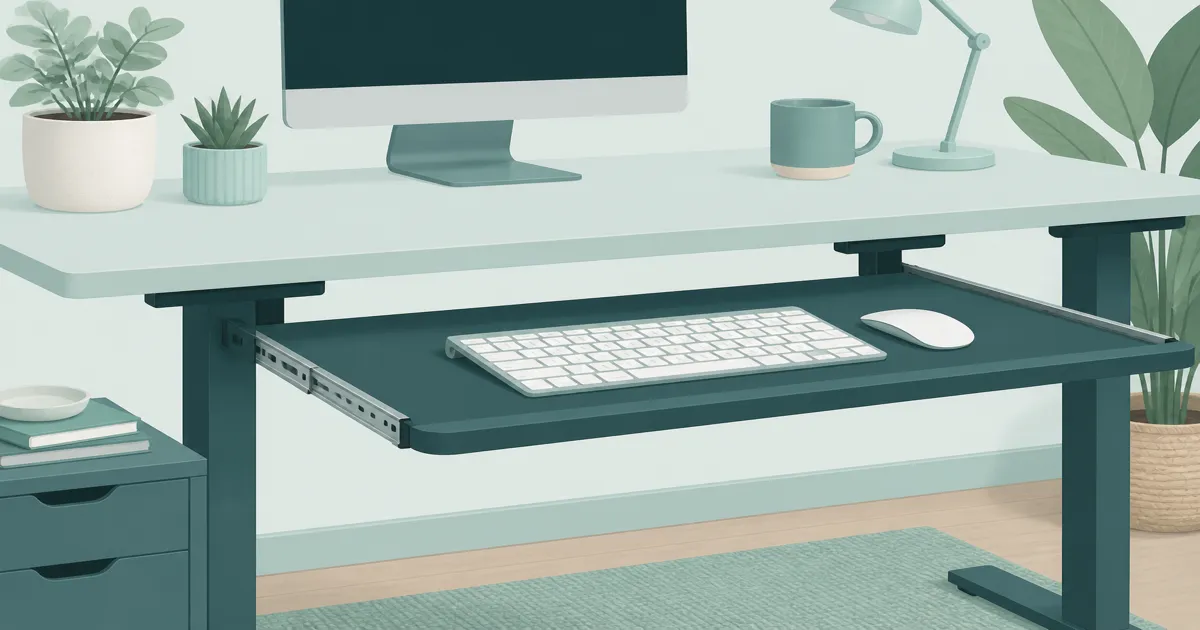
Best Keyboard Tray for Desk Setups (2026): HUANUO, VIVO, Mount Types
Desk accessories
The best keyboard tray for desk setups is the HUANUO clamp-on tray for most homes. Choose the wider VIVO tray when you need more mouse room on the same mount, and use a sit-stand desk check before you install.
Our picks
A lot of home "desks" are dining tables. They look fine in photos and then quietly raise your shoulders all day. A keyboard tray is one fix. Lowering a standing desk is often a cleaner answer when you have that option. Browse desk accessories once the keys sit at a relaxed angle, then come back to fit the best monitor arm to your eye line.
Measure underside clearance before you order. A tray that hits a crossbar is a return.
When a keyboard tray helps
A keyboard tray fixes one specific problem: the desktop sits above your natural elbow height. If that is true, no wrist rest, no trackball mouse, and no $200 mechanical keyboard will get your shoulders to relax. Common situations:
- Fixed-height dining tables used as desks.
- Standing desks whose minimum height is still too high for shorter users.
- Shared household tables where one person cannot permanently drop the surface.
- Rehab or temporary setups while you plan a better desk.
If your desk already meets your elbows with a chair that supports long sits, you do not need a tray. Spend the energy on a better chair or a monitor arm instead. See standing desk height for the math.
When you should skip a keyboard tray
Your standing desk already goes low enough for flat wrists and relaxed shoulders. Your chair armrests and desk already meet cleanly. You hate the feel of typing on a sliding surface. In those cases, fix the chair and desk before adding accessories. A hanging supply bin under the desk is a different product. That is under desk storage, not a typing tray.
Best overall: HUANUO Under Desk Keyboard Tray
The HUANUO Under Desk Keyboard Tray is the practical default for most home offices. The clamp mount fits common desktop thicknesses without drilling. The tray slides smoothly on a metal track and locks at a chosen depth. The separate mouse platform sits on the right side and tilts, which keeps the mouse close enough that you do not reach. The tray width handles a full-size keyboard and the mouse platform together.
Recurring complaints mention clearance under desks with thick aprons, and particle-board tops that crush without the included spreader plates. Measure the clear span under the desktop before you order, and use the spreader plates when the desktop is hollow-core MDF.
Who it is for: Home offices with a fixed-height desk that is too tall, where the underside is open enough for a clamp and a slide track.
Skip if: The desk has a thick apron or a center drawer that blocks the slide track. Measure first.
Shop: HUANUO Under Desk Keyboard Tray on Amazon
Best wider tray: VIVO Large Under Desk Keyboard Tray
The VIVO Large Under Desk Keyboard Tray is the right call when the HUANUO tray is too narrow and you want keyboard plus mouse on the same surface. The wider top keeps the mouse close to the typing line so your shoulders do not twist. The C-clamp mount is sturdy on thicker desktops. The slide is smooth on most installs.
The downside is weight. The wider mount needs a sturdier desktop and more underside clearance. If your desktop is hollow MDF, use the spreader plates.
Who it is for: Wider mouse reach, deeper desks, or anyone who has tried a narrow tray and ended up with the mouse back on the desktop.
Skip if: The desk is hollow MDF and you do not want to use a spreader plate. A narrower tray will feel safer on thin tops.
Shop: VIVO Large Under Desk Keyboard Tray on Amazon
Mount types in plain English
If you mouse a lot, prioritize width. The wider VIVO tray helps when a narrow tray leaves the mouse stranded up on the desktop.
Setup rules that keep a tray from backfiring
- Elbow height first. Upper arms hang relaxed. Forearms roughly parallel to the floor.
- Wrists neutral. Avoid extreme upward tilt.
- Distance. Bring the tray under your elbows, not out in the aisle.
- Knee clearance. Make sure the tray does not hit your legs when you sit close.
- Stability. Soft trays that bounce while you type become distracting fast.
A bad tray setting is worse than no tray. Aim for elbows at about 90 degrees and a slight downward slope toward the keys. Set the tray before you bolt anything permanent.
Sit-stand and trays
On a sit-stand desk, a tray moves with the desktop. That can be good: typing height stays consistent relative to the top. It can also be bad: if the tray was a band-aid for a desk that never goes low enough, standing may still feel fine while sitting still feels high.
Test both postures before you commit. Raise and lower through your full range with the tray installed. Watch cable stretch on keyboard and mouse cords. If a laptop is your main screen, raise it with a laptop stand for desk setup so the tray is not doing two jobs at once.
Installation gotchas on real desks
Underside crossbars, cable trays, and center drawers block a surprising number of mounts. Measure the clear span where the tray tracks will live before you order. Particle-board tops can crush under aggressive clamps. Use the manufacturer's spreader plates when they are included.
Route keyboard and mouse cables with enough slack for the tray's full travel. After install, sit down and scoot in the way you actually work. If your knees hit the tray supports, the mount is wrong for your chair height. For the power strip and wall run, use cable management for desk so cords do not snag when the tray slides.
How to check fit before you commit
If any of these do not work, the tray will be a return. Spend ten minutes with a tape measure before you click buy.
What to pair with a keyboard tray
When to replace the whole desk instead
If you need a tray, a footrest, a seat cushion, and constant monitor fiddling just to survive a fixed dining table, stop stacking band-aids. A proper adjustable desk plus a fitted chair usually costs less frustration than four accessories fighting each other. Use best standing desk when you are ready to reset the foundation.
Bottom line: A keyboard tray for desk setups is worth it when the surface is too high and will not come down. The HUANUO tray is the practical default. The VIVO tray is the wider option when mouse space matters. Measure underside clearance first, then give yourself a few days of normal typing before you commit.
Frequently Asked Questions
What does a keyboard tray for desk setups fix?
A keyboard tray drops the keys so your elbows can stay near 90 degrees when the desktop sits above your natural elbow height. Most home "desks" are dining tables that quietly raise shoulders all day. A tray is one fix. Lowering a standing desk is often a cleaner answer when you have that option.
Can you add a keyboard tray to any desk?
Most desks accept a clamp-on tray as long as the desktop edge is thick enough for the clamp and there is clear space underneath. Desks with thick aprons, drawers, or center beams often block the slide track. Particle-board tops can crush under aggressive clamps unless you use the manufacturer's spreader plates.
Is it better to use a keyboard tray?
A tray helps when your desktop sits above comfortable elbow height and you cannot lower the desk. A tray hurts when it is too low, tilted too steep, or set so far forward that your shoulders reach. Set height and distance carefully once the tray is mounted.
What is the best keyboard tray for under a desk?
The HUANUO tray is the most common starting point for clamp-on installs. Choose the wider VIVO tray when you want keyboard and mouse on the same surface. For standing desks, check whether the lowest height of the desk already meets your elbows before you add a tray.
What is a keyboard tray called?
The common names are "keyboard tray," "under desk keyboard tray," "keyboard slide," and "keyboard drawer." A keyboard drawer usually pulls out from the desktop itself. An under desk tray mounts below the desktop on a track. A keyboard platform is another name for the same under-desk tray.
How do I install a keyboard tray on a computer table?
Measure clear underside space first. Clamp the front track under the desktop, slide the tray on the track, lock it with the rear bracket, then set the height. Most installs take 20 to 40 minutes with a hex key.
Do I need a tray if I have a standing desk?
Not always. Many standing desks adjust low enough for flat wrists. Add a tray when the lowest desk height is still above your elbows, when you share a fixed-height table, or when your chair does not have adjustable armrests.
Are under-desk trays bad for posture?
Poorly set trays can be. A tray that is too low, too tilted, or too far forward creates new strain. Aim for elbows near 90 degrees, forearms parallel to the floor, and the tray close enough that you do not reach.
Can I put a mouse on the tray?
Some trays include mouse space. Tiny trays force the mouse up on the desk, which splits your shoulder heights. Prefer a tray wide enough for both if that is your plan. The wider VIVO tray handles keyboard plus mouse together.