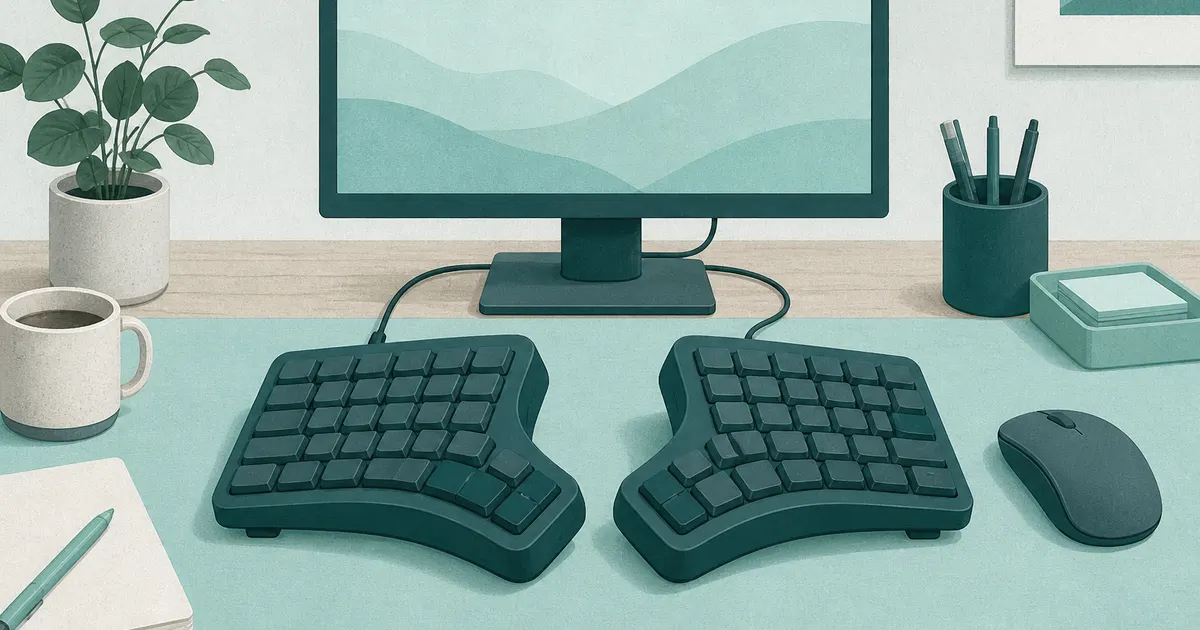
Best Ergonomic Keyboard for Home Offices (2026)
Desk accessories
The best ergonomic keyboard for most home offices is the SABLUTE wireless split, which pairs a full-size split board and a memory foam rest with a rechargeable mouse. Choose the Arteck split for a compact wireless board, Perixx for wired value, or the Kinesis Freestyle2 when hand width matters most.
Our picks
The best ergonomic keyboard for long home-office days is the SABLUTE split set when you want a true split and a cushioned rest without shopping for a mouse separately. A flat laptop-style keyboard twists your wrists inward for hours.
These four picks open that angle in different ways: SABLUTE for a full-size wireless split with a rest and a mouse, Arteck for a compact wireless split, Perixx for cheap wired full-size shape, and Freestyle2 when the halves should sit at your shoulder width. If you would rather buy the keyboard and a matching mouse as a set, our best ergonomic keyboard and mouse guide covers that pairing.
Browse more desk accessories once the keyboard fits, and keep screen height tied to the best monitor arm pillar if your neck still dips toward a low panel.
If desk height is still wrong, fix that first with standing desk height or a keyboard tray for desk. Then come back so the new board matches the posture.
Quick comparison
How wide is an ergonomic keyboard, and does it fit your desk?
A full-size ergonomic board runs about 17.5 to 19 inches wide. The SABLUTE is 19 inches, the Arteck compact is 16.5 inches, and a standard full-size board is roughly 17.5 inches.
Why the width number matters more than the shape
Width decides where your mouse ends up. A 19-inch board pushes the mouse about 1.5 inches farther right than a standard board, which is why a wide split can feel wrong on a shallow desk even when the split angle is right. The Arteck's 16.5-inch body is about 2.5 inches narrower than the SABLUTE, so the mouse stays closer.
Do you need a keyboard tray?
Only if the desk is too high or too shallow. A tray drops the keys and buys lateral room, but it also adds a platform the board has to sit on. Measure the tray width first: Perixx and Freestyle2 both need more lateral room than a compact laptop board.
Is a fixed split enough, or do you need separating halves?
A fixed split is enough for most people. The SABLUTE, Arteck, and Perixx each hold a set angle, which relaxes the wrists without asking you to learn a new width. Separating halves, as the Kinesis Freestyle2 does, only helps when your shoulders or your desk push the two hands farther apart than a fixed board allows. Start fixed unless you already know your hands want to sit wider.
Which ergonomic keyboard is best for typing all day?
The SABLUTE split set is the best all-day pick for most home offices. If you type four hours a day at 60 words a minute, that is roughly 72,000 key presses, so a low front edge and a gentle split matter more than fancy switches.
What the three things actually do
A split or curved layout keeps each hand near its own side. A low front edge stops the wrists bending upward. A palm rest lets the hands pause without hovering. Those three things do the work, and every pick here has at least two of them.
How the picks cover them
The SABLUTE and Arteck add a padded rest to a fixed split. The Perixx adds an integrated rest to a wired curve. The Freestyle2 trades the rest for true separation. None of them is a mechanical board, so if switch feel is your priority, these boards are not the ones to buy.
Can a mechanical keyboard be ergonomic?
Yes, but only when the chassis does the work. A flat mechanical board with a standard rectangle layout is not ergonomic no matter how good the switches feel. You need a split, tented, or ortholinear body before the switch type helps.
Most off-the-shelf mechanical boards, including the flat gamer style, keep your wrists angled the same way a cheap membrane board does. What makes a mechanical board ergonomic is separating the hands and tilting each half inward, which the best mechanical ergonomic keyboard guide covers. If wrist angle is the goal and switch feel is a nice-to-have, start with a split membrane board and save the money.
What are the 3 main types of keyboards?
Almost every desk keyboard falls into one of three shapes: the flat rectangle, the fixed split or curve, and the fully separated split. Each one changes your wrist angle by a different amount.
The flat rectangle is the standard board, wide and square, and it keeps your hands close together with the wrists angled inward. The fixed split or curve bends the board into one piece, so the hands sit at a gentle angle without a new muscle memory. The separated split breaks the board into two halves you place at shoulder width. Fixed splits cover most people; separated splits are worth the extra learning week when your shoulders or your desk push your hands far apart.
What is the best but cheapest ergonomic keyboard?
The cheapest real ergonomic board is the wired Perixx PERIBOARD-512B, which gives you a full-size split curve and a palm rest for well under the wireless options. It skips batteries and pairing, which is what keeps the price down.
Step down further and you lose the split, which is the part that helps. A $25 flat board with a wrist gel pad is just a standard keyboard with a cushion. If budget is the whole story, buy the Perixx and put the savings toward a wrist rest for keyboard only if the built-in rest feels short.
Top pick: SABLUTE Ergonomic Wireless Keyboard and Mouse
The SABLUTE Ergonomic Wireless Keyboard and Mouse is the best ergonomic keyboard for most home offices because it covers three jobs in one box: a full-size split board, a cushioned memory foam rest, and a matching mouse. The left and right key zones separate so each hand sits at its own angle, and four tilt legs let you set the typing angle for a desk or a standing setup.
The bundled mouse is contoured for palm and thumb support, with four DPI steps (800, 1200, 1600, and 2400) and forward and back buttons for browsing. A dedicated system key switches between the Windows and Mac layouts, and both devices charge over USB-C on the same 2.4GHz receiver. It is rated 4.7 stars across 62 ratings, a high average on fewer ratings than the others. The tradeoff is size. The board is about 19 inches wide, so a shallow desk or a narrow tray will feel crowded.
Who it is for: Home offices that want a true split and a cushioned rest, and buyers who would rather get the mouse in the same box than pick one separately.
Skip if: You want a separate number pad, mechanical switches, or a board that packs away small.
Shop: SABLUTE Ergonomic Wireless Keyboard and Mouse on Amazon
Best compact wireless: Arteck Split Ergonomic Keyboard
The Arteck Split Ergonomic Keyboard is the pick for a wireless desk that wants a compact split with a cushioned rest. The split keeps your wrists and forearms in a relaxed position without relearning a radical layout. The padded wrist rest does the practical work: your palms rest instead of hovering, and there is no cable routed across the desk.
The body measures 16.5 by 9.6 by 1.02 inches and charges by USB-C. Arteck rates the battery at about six months per charge based on two hours of use a day. The compact body leaves more room for the mouse than a giant one-piece board. It is rated 4.3 stars across 1,702 ratings, and owners usually praise the comfortable split and the simple USB receiver pairing. The most common criticisms are the Windows-first shortcut set and the short adjustment period every split board needs.
Who it is for: Remote workers on Windows who want a wireless split without extra desk clutter.
Skip if: You need a separate number pad, or you already know you need halves you can pull a full foot apart. Use Freestyle2 or a deeper split keyboard instead.
Shop: Arteck Split Ergonomic Keyboard on Amazon
Best value: Perixx PERIBOARD-512B
The Perixx PERIBOARD-512B is the best value ergonomic keyboard when you want the curved split shape for less money and do not need wireless. Plug the USB cable into a Windows PC and it is ready. You get a full number pad, an integrated palm rest, and firm key travel that feels more substantial than a thin laptop keyboard.
Measure depth and width before you order. This board is wide, so the mouse can end up farther to the right than you like on a shallow desk or narrow tray. With about 9,613 ratings at 4.4 stars, more owners have rated it than any of the other three picks, and they often praise the price and the solid case. The most common complaint is stiff key travel for soft-touch typists, plus the size.
Who it is for: One Windows desktop, tight budget, and people who would rather keep cables simple than manage batteries.
Shop: Perixx PERIBOARD-512B on Amazon
Best adjustable: Kinesis Freestyle2
The Kinesis Freestyle2 is the best adjustable ergonomic keyboard in this stack when a fixed curve still leaves your wrists angled inward. The left and right modules separate (up to about 9 inches on the common tether kit) so you can match shoulder width instead of the keyboard's built-in gap. Each half is 9.25 inches wide, so a 9-inch gap gives an outer span of about 27.5 inches.
Low-force keys and a familiar Windows layout keep the change focused on position, not a new key map. It is rated 4.3 stars across 1,435 ratings.
Expect a longer first week than with Arteck or Perixx. Your hands now own separate homes. Keep the old board nearby for one deadline if typos would hurt. This model is wired USB for PC. If you want tenting kits or Mac layouts, check sibling Freestyle options after you confirm the split idea works for you.
Who it is for: Broader shoulders, deep desks, and typists who already bounced off one-piece "ergo" boards.
Shop: Kinesis Freestyle2 on Amazon
Which one should you buy?
Buy the SABLUTE set if you want a full-size wireless split, a cushioned memory foam rest, and a matching mouse in one purchase. Buy the Arteck if you want a compact wireless split. Buy the Perixx if price and plug-and-play matter more than batteries. Buy the Freestyle2 if hand width is the real problem and you are willing to spend a week relearning reach.
Skip them all if you need mechanical hot-swap switches and heavy remapping. That is a different category of keyboard. Skip them if your desk is too high. No keyboard shape fixes shrugging shoulders.
How to check fit before the return window closes
Center the main board on your torso, not on the monitor. Keep the mouse close enough that your upper arm does not reach outward all day. On the Arteck, angle the padded rest so your wrists stay flat.
Set the keyboard low enough that elbows stay near your sides. If the desk is too high, use a tray or drop the surface first. Pair the board with a nearby mouse, and consider a vertical mouse if a flat mouse keeps your forearm rotated.
Give the layout several normal workdays. A few wrong keystrokes are expected. Sharp pain, growing numbness, or symptoms that continue away from the desk are reasons to stop and seek medical advice.
What matters when comparing ergonomic keyboards
Do not choose from the word "ergonomic" alone. A keyboard can look dramatic and still sit too high, too wide, or too stiff for your hands.
Build the rest of the desk around it
A keyboard is only one part of your typing position. If the front edge feels hard during pauses, check wrist rest for keyboard sizing before stacking another pad on a built-in rest. Keep cables out of the wrist area with the desk cable management guide. Protect the clear typing zone with a best desk pad once the board placement is stable.
If the keyboard sits on a tray, confirm the tray is wide and stable enough for the model you choose. Perixx and Freestyle2 need more lateral room than a compact laptop board.
Bottom line
The best ergonomic keyboard for most home offices is the SABLUTE split set when you want a full-size wireless split, a memory foam rest, and a matching mouse. Choose the Arteck split if you want a compact wireless board, the Perixx PERIBOARD-512B for wired value, or the Kinesis Freestyle2 when adjustable hand width matters more than a fixed curve. Match desk height and mouse reach next, or the nicest board still feels wrong by lunch.
Frequently Asked Questions
Which ergonomic keyboard is best in 2026?
For most home offices, start with the SABLUTE Ergonomic Wireless Keyboard and Mouse. It is a full-size wireless split with a memory foam rest and a matching rechargeable mouse. Choose the Arteck split if you want a compact wireless board, the Perixx PERIBOARD-512B for a cheaper wired full-size board, or the Kinesis Freestyle2 if you need adjustable hand width.
Do ergonomic keyboards really make a difference?
They can. A gentle split and a lower front edge help many people keep wrists straighter and shoulders less hunched during long typing days. Desk height, mouse reach, and breaks still matter as much as the keyboard shape.
How wide is a full-size ergonomic keyboard?
The SABLUTE is 19 inches wide, about 1.5 inches more than a standard 17.5-inch full-size board. The Arteck compact split is 16.5 inches, about 2.5 inches narrower, so it leaves more mouse room.
What is the best ergonomic keyboard for typing all day?
A split or curved layout with a low front edge and a palm rest is the safest pick. The SABLUTE split set covers wireless desks with a full-size split and a memory foam rest. The Kinesis Freestyle2 is the better call when you want true shoulder-width separation. Both hold up across an eight-hour day.
What is a good ergonomic keyboard for carpal tunnel?
A split or curved layout with low-force keys and a palm rest reduces awkward wrist angles, which can ease the strain that aggravates carpal tunnel symptoms. The SABLUTE split set or Kinesis Freestyle2 are common starting points. Sharp or lasting symptoms still need a clinician, not only a keyboard.
Did Microsoft discontinue the ergonomic keyboard?
Older Microsoft Sculpt and Natural lines have been harder to find new. Newer options fill the same job: the Arteck split covers the modern wireless compact lane, and wired splits like Perixx still cover budget desks.
What are the disadvantages of ergonomic keyboards?
They take desk space, cost more than a basic board, and usually need a few days of slower typing while your muscle memory catches up. Extreme splits and tented boards take longer to learn than a mild curve.
Should I choose a wired or wireless ergonomic keyboard?
Choose wireless if you switch devices or want fewer cables across the desk. Choose wired if you want the lowest price and a connection that never needs pairing or charging.
How long does it take to adjust to a split keyboard?
Most touch typists need several days to two weeks. Accuracy may dip at first because each hand stays on its own side. Start with normal work, take short breaks, and avoid forcing marathon sessions if your hands feel tired.
Will an ergonomic keyboard fix wrist pain overnight?
No. It can reduce awkward wrist angles, but desk height, mouse reach, and breaks still matter. Sharp or lasting pain needs a clinician, not only a new keyboard.
Is a fully split keyboard better than a fixed curve?
Adjustable splits help most when your shoulders are wide or your desk is deep and you want the halves farther apart. Fixed curves are simpler for most people. Compare styles in our split keyboard guide if you already know you want separate halves.
How does an ergonomic keyboard compare to a mechanical keyboard?
Mechanical switches give tactile feedback and last longer, but most off-the-shelf mechanical boards are flat rectangles that twist your wrists. You can buy a split mechanical board like the best mechanical ergonomic keyboard if you want both. Pure ergonomic boards prioritize low-force keys and a gentle split over switch feel.
What is the best ergonomic keyboard for Mac?
Mac users should look for layouts with Mac-specific shortcuts (Cmd, Option, brightness, media). See our best ergonomic keyboard for Mac guide for the Mac-tuned picks, or pair a Windows-first split with a Mac remapping app if you already own one.