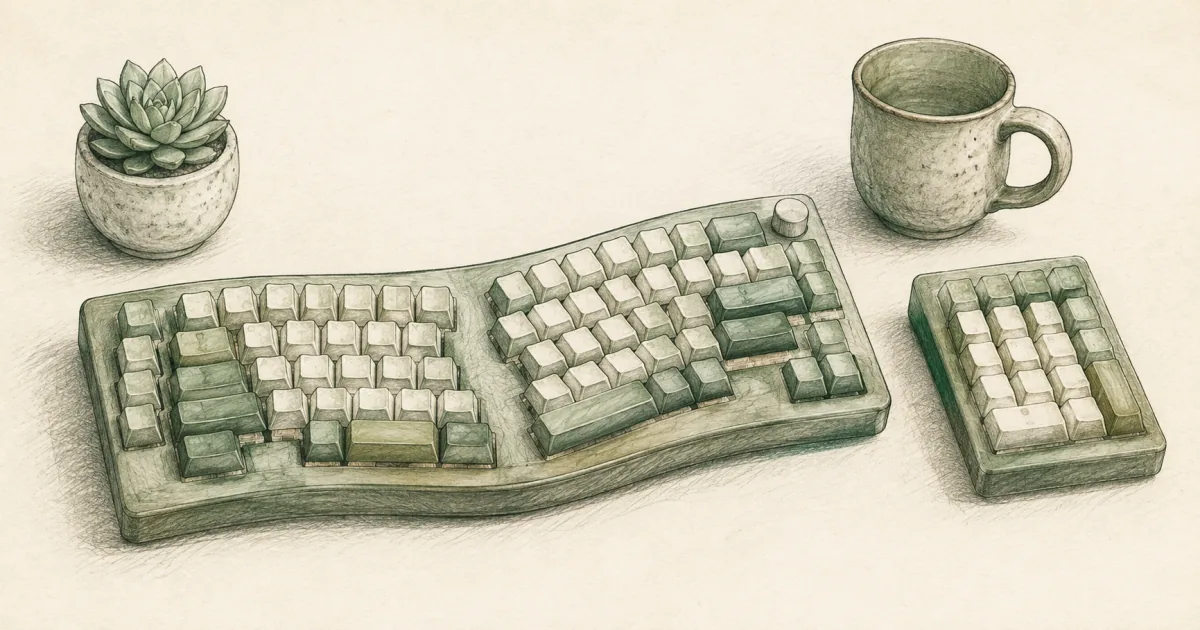
Best Mechanical Ergonomic Keyboard (2026): Alice, Split, Contoured Picks
Desk accessories
The best mechanical ergonomic keyboard for most home offices is the Keychron Q8 with a curved Alice layout and tactile switches. Choose the Kinesis Advantage 360 when you want a fully split contoured board, or the Keychron Q10 for a wider Alice split.
Our picks
A mechanical switch gives you defined key feel and a longer life than most membrane boards. Ergonomic layout keeps your wrists from twisting inward for hours. Combine them and you get the best ergonomic keyboard lane with tactile feedback. This guide is for people who already know they want both. Browse desk accessories for the rest of the typing kit, and read the split keyboard guide if you are still choosing between Alice and a fully separated layout.
If your desk is too high, no keyboard shape fixes shrugging shoulders. Drop the keys with a keyboard tray or raise the chair so elbows hang near your sides first.
How mechanical ergonomic keyboards differ from regular ergonomic boards
Regular ergonomic boards like the Arteck split or Perixx usually use membrane or scissor switches. Mechanical boards use individual switches under each key. The choice is mostly about typing feel and noise. If you share a room, prefer tactile brown or linear red switches over clicky blues.
Top pick: RK ROYAL KLUDGE A72
The RK ROYAL KLUDGE A72 is the best mechanical ergonomic keyboard for most home offices because the curved Alice layout keeps wrists straighter than a flat board without the learning curve of a fully split mechanical keyboard. The 72-key form factor fits a mouse comfortably beside the main board. Tri-mode wireless (2.4 GHz, Bluetooth 5.0, USB-C) means you can switch between a desktop and a laptop without re-pairing. The 7500 mAh battery is large enough that most users only charge weekly. Hot-swap sockets let you change switch types later.
The ABS plastic chassis is lighter than CNC aluminum boards, so it can slide on a smooth desk without a pad underneath. Recurring complaints mention that the 72-key layout drops the dedicated function row.
Who it is for: Home offices that type all day and want the tactile feel of mechanical switches plus a curved ergonomic layout, without the cost or ramp-up of a fully split board.
Skip if: You need a function row, an arrow cluster, or true shoulder-width separation. The LEOBOG A75 keeps function keys, and the Kinesis Advantage 360 gives you a fully split contoured board.
Shop: RK ROYAL KLUDGE A72 72-Key Alice Ergonomic Mechanical Keyboard on Amazon
Best split: Kinesis Advantage 360
The Kinesis Advantage 360 is the right pick when you already know you want a fully split contoured board and you are willing to spend a few weeks rebuilding muscle memory. The concave key wells put each finger in its own vertical column. The thumb cluster shifts Enter, Space, Backspace, and Delete off the pinkies, which is the biggest comfort change once you adapt. The two halves separate up to 10 inches with the included cable, and three tent heights let you dial in a handshake angle.
The 360 runs on Kinesis SmartSet firmware, which is programmable without drivers. You can save multiple layers for coding or spreadsheets. Tactile Brown switches are the default; quiet Linear Pink switches are the office-friendly option.
Who it is for: Long-time typists who already tried a curved Alice and still felt cramped, or anyone with wider shoulders who wants to keep the mouse close to the body.
Skip if: You travel with your keyboard, or you have a deadline in the next two weeks. The learning curve is real.
Shop: Kinesis Advantage360 Split Ergonomic Mechanical Keyboard (USB-C) on Amazon
Wider Alice split: LEOBOG A75
The LEOBOG A75 is the right call when you want the Alice curve plus a function row and arrow keys on the main board. The 75% Alice layout sits between a 65% board and a true fully split keyboard: more room than a compact Alice, less commitment than two free modules. Tri-mode wireless (2.4 GHz, Bluetooth 5.0, USB-C) makes laptop and tablet pairing easy. Hot-swap sockets accept most MX-style switches. The joystick acts as arrow keys when you press it as a button.
The ABS top-mount chassis is lighter than aluminum. The joystick replaces dedicated arrows, which can take a day or two to adapt to.
Who it is for: Daily spreadsheet or code work where a function row matters, and you want wireless along with the Alice curve.
Skip if: Desk depth is tight, or you would rather have true shoulder-width separation than a one-piece split. Use the Kinesis Advantage 360 for that.
Shop: LEOBOG A75 75% Alice Wireless Mechanical Keyboard on Amazon
Which mechanical ergonomic keyboard should you buy?
If you already have a flat membrane board and you only wanted tactile feel, the best ergonomic keyboard covers the Arteck split, Perixx, and Kinesis Freestyle2 in the curved, non-mechanical lane. If you want a true split and you do not care about mechanical switches, the split keyboard guide covers the Kinesis Freestyle2, Perixx, and Logitech Ergo K860.
Switch types in plain English
If you share a wall with a neighbor, prefer silent or quiet tactile. If you work alone and you love a defined click, blue switches are fine. Most boards here ship with hot-swap sockets, so you can try one switch type and swap later without buying a new keyboard.
How to set up a curved keyboard without losing speed
- Center the main board on your torso, not on the monitor.
- Set the halves or Alice halves at about shoulder width on the Q8 and Q10; pull the Kinesis modules further apart only after a week.
- Keep the mouse close enough that your upper arm does not reach out all day.
- Pair the board with a vertical mouse if a flat mouse still rotates your forearm.
- Use a wrist rest for keyboard only if it keeps wrists neutral, not if it props them up into extension.
Plan on a week of slower typing on any new shape. Accuracy returns first. Speed follows after muscle memory rebuilds. If the desk is still too high, no keyboard shape fixes shrugging shoulders.
Build the rest of the desk around it
If the chair or monitor height is wrong, the nicest keyboard still feels wrong by lunch. Pair the board with a chair that supports long sits and a monitor arm that lines up with your eye line.
Bottom line: The Keychron Q8 is the best mechanical ergonomic keyboard for most home offices. The Kinesis Advantage 360 is the right call when you want a fully split contoured board with thumb keys. The Keychron Q10 covers a wider Alice split with arrow keys. Pick the switch type you can live with, give yourself a week of slower typing, and judge comfort on real work, not a five-minute sample paragraph.
Frequently Asked Questions
What is a mechanical ergonomic keyboard?
A mechanical ergonomic keyboard combines mechanical switches (tactile, linear, or clicky with individual key feel) with an ergonomic layout, like a curved Alice, fully split, or contoured thumb-cluster design. The switch type and the layout both matter.
Are mechanical switches bad for ergonomics?
No, mechanical switches are not inherently bad for ergonomics. The layout matters more than the switch. A mechanical board with a curved Alice split, or a contoured thumb cluster, can be just as comfortable as a membrane ergonomic board, with the added benefit of defined key feel.
What is the best switch type for typing all day?
Tactile switches are usually the safest all-day pick. They give a clear bump without the loud click, so you still know when the key has fired. Linear switches feel smoother but can lead to bottoming out, while clicky switches often annoy coworkers in shared rooms.
Is an Alice layout better than a fully split keyboard?
Alice layouts curve the keys on one chassis. A fully split board separates the halves so you can set them at shoulder width. Alice is easier to learn and travel with. Fully split is better if your shoulders are wide or you want tenting.
How long does it take to get used to a curved mechanical keyboard?
Most typists feel slow for the first week and regain normal speed within two to three weeks. Accuracy returns before speed. Keep your old board nearby for the first few deadlines if a typing dip would hurt.
Do I need hot-swap switches?
Hot-swap is convenient because you can change switch types without soldering. It is not required. If you already know you want Cherry MX Browns or Gateron Reds, a soldered board at a lower price is fine.
Will a mechanical ergonomic keyboard fix wrist pain?
It can reduce awkward wrist angles, but desk height, mouse reach, and breaks still matter. Sharp or lasting pain needs a clinician, not only a new keyboard. Pair the board with a vertical mouse if your forearm still twists.