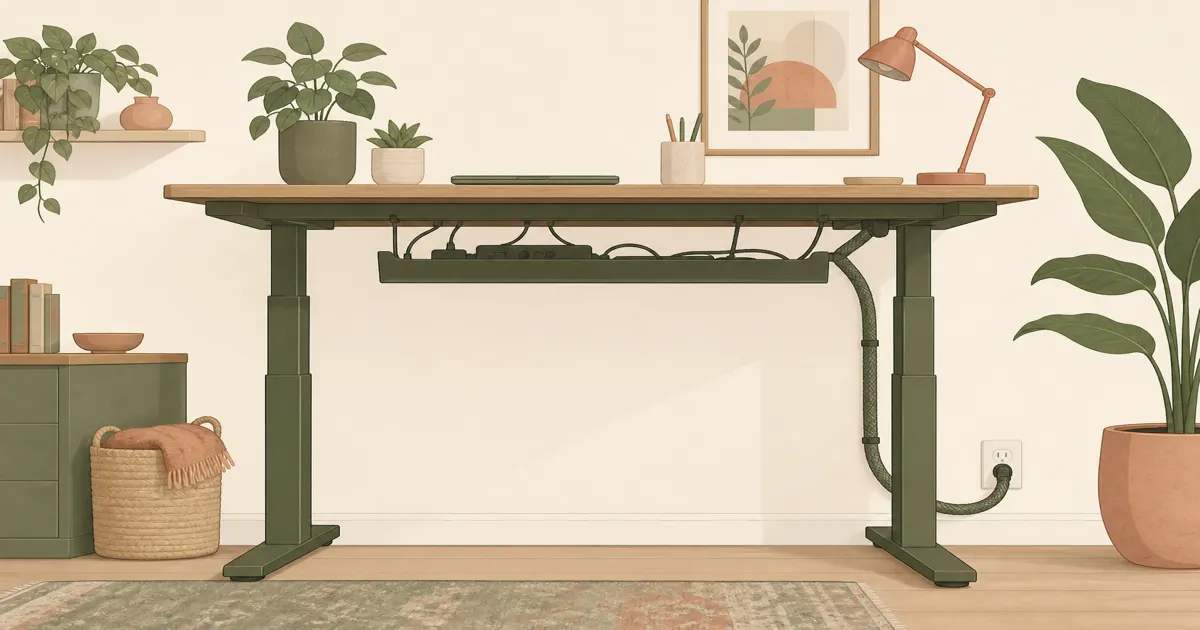
Standing Desk Cable Management: Keep Cords Safe When the Desk Moves
Desk accessories
Standing desk cable management is slack plus a tray under the top so cords rise with the desk instead of yanking a plug every time you stand.
Our picks
A sit-stand desk that unplugs your dock every time you stand is not a standing desk. It is a trap. Cords have to travel with the top. That means extra length, a place for the power strip under the desktop, and a tidy drop to the outlet.
Do not zip-tie cables to a moving leg at sitting length. The first raise will yank a USB port. Raise the desk to standing height once, watch what gets tight, then add slack there.
If you are still choosing the frame, see best standing desk. Set height with standing desk height after the cables can actually move.
Other cable and desk gear lives in the desk accessories category.
Slack, tray, then sleeve
Mount the power strip in a tray under the desktop so bricks ride with the desk. Leave a service loop between the tray and the wall so standing height does not stretch the cord. Group monitor and laptop cables in a sleeve only after the length is right.
Measure underside clearance around crossbars before you order a tray. Some frames have little room. A clamp tray that hits a motor housing will not stay.
Keep the chair path clear. A cable across the floor is how people kick the strip and blame the desk.
Primary pick: Litwaro Under Desk Cable Management Tray
The Litwaro Under Desk Cable Management Tray is the first buy for most sit-stand tops. It holds a compact power strip and the extra adapters that otherwise dangle. The strip stays with the desk instead of sitting on the floor, where a chair caster will find it.
Confirm mount type against your top. Particle board needs gentle torque. Recheck screws after a week of raising the desk.
Who it is for: Electric sit-stand desks with a wood or laminate top and a spare underside.
Skip if: There is no clear underside, or you only have a converter with no place to clamp.
Shop: Litwaro cable tray on Amazon
Alternative: Alex Tech 10ft Split Wire Loom Sleeve
The Alex Tech 10ft Split Wire Loom Cable Sleeve tidies the drop from the tray to the wall. It splits open, so you wrap existing cords without unplugging the whole office. Ten feet is usually enough for sit-to-stand travel if you already left slack.
A sleeve will not add length you forgot. If a cable is short, replace that cable. Then wrap.
Who it is for: Dual-monitor desks with a messy vertical bundle after the tray is mounted.
Shop: Alex Tech sleeve on Amazon
A five-minute test after install
- Sit. Stand. Sit again with every device plugged in.
- Watch the dock, monitor power, and laptop charger.
- Add slack anywhere something tugs.
- Only then zip or sleeve the bundle.
If you also walk on a pad, keep the floor path empty. More walking-pad notes live in best under desk treadmill.
Bottom line: For standing desk cable management, mount a Litwaro tray so the strip rides with the top, then wrap the drop with the Alex Tech sleeve. Slack first, pretty second. For a tray-only comparison, see best under desk cable tray. More desk guides live on the blog and homepage.
Frequently Asked Questions
What is standing desk cable management?
Extra slack plus a way to keep cords with the moving top. A tray under the desk holds the power strip. A sleeve tidies the drop to the wall.
How much slack do I need?
Enough for the highest standing position with a little extra. Raise the desk once with everything plugged in and watch what tugs.
Do I need a tray if I already have zip ties?
Zip ties on a moving desk can rip a port. A tray lets the strip ride with the top. Ties are for grouping, not for locking length.
Will a sleeve stop unplugs?
No. A sleeve only looks neater. Slack and a tray stop unplugs.
Where should the wall outlet sit?
Behind the desk, not across a walkway. Leave the floor path clear for a chair and a standing mat.
Fixed desk or sit-stand?
Sit-stand needs more slack. A cable management for desk guide covers fixed tops. This page is for desks that rise.