Under Desk Treadmill: Quiet Walking Pads for Home Office Calls
Standing desks
An under desk treadmill (walking pad) should stay quiet on calls, fit under a sit-stand desk, and hold steady speeds you can still type at.
Our picks
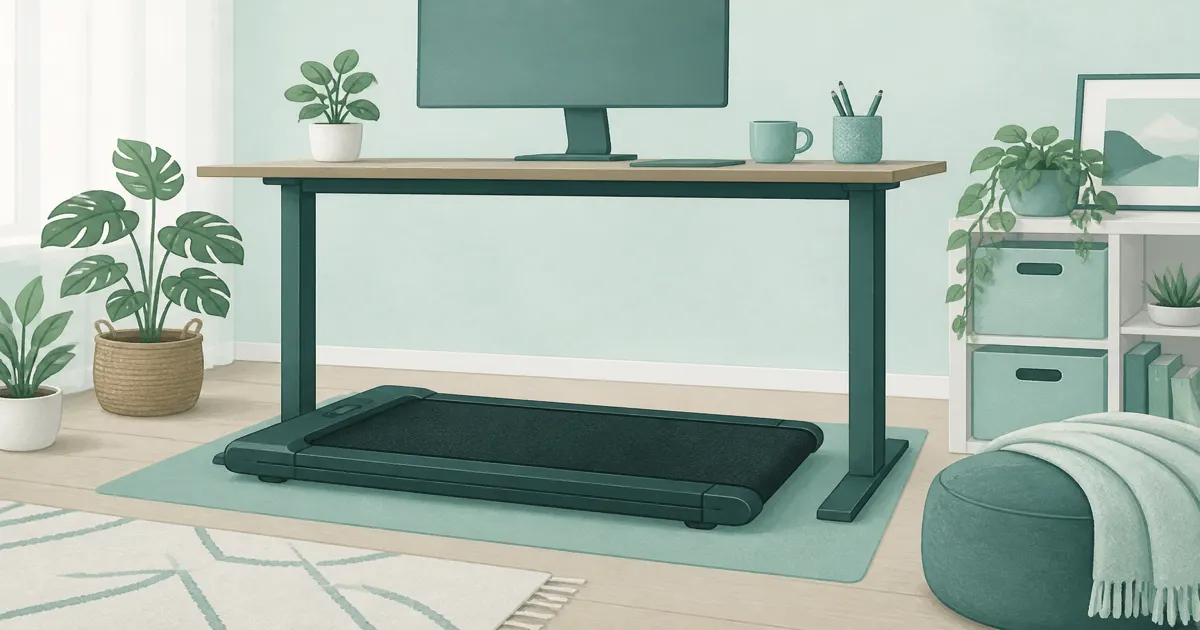
An under desk treadmill (often sold as a walking pad or treadmill for office use) is a low-profile belt that slides under a standing desk so you can rack up steps during emails and calls. It is not a gym treadmill. Speeds stay in the walking band, motors stay quieter, and the deck is short enough to live in a spare room.
Our standing desks category rounds up frames that pair well with a walking pad, and home office desk setup covers where the pad belongs in the room plan.
Pair it with a desk that actually rises. A walking pad under a fixed dining table is how people bruise their knees and quit. Prices move, so confirm the current offer when you order.
What should you look for in an under desk treadmill?
Quiet motors, a short deck that fits under a sit-stand frame, and a speed band you can type in matter more than top-end running claims. Capacity and incline are secondary once the pad is stable at meeting speeds.
If your desk cannot rise, fix that first. The ErGear 48x24 is the pairing we send most people to before they buy a second pad. Budget frames live in best standing desk under $500. Set sit and walk heights with standing desk height.
What speed band do you actually need?
Look for a pad that runs smoothly from about 0.6 to 3 mph. Meeting mode lives at 1 to 2 mph, and the 3 mph ceiling covers after-hours walks. Machines that start at 1 mph and jump in big steps are harder to trust while typing.
Does deck length matter under a desk?
Yes, for stride. A short deck that ends mid-step forces a shuffle, which is what makes people quit. Check the deck against your shoe length with the pad in place, then leave room behind it so a long stride does not clip the desk leg.
Quiet enough for calls
Listen for three things before you keep it: motor whine at 2 mph, deck slap on hard floors, and whether you can change speed without looking down.
Hard floors make everything louder. A thin rug under the pad (not over the belt) cuts bounce. Thick carpet can swallow the feet and make the motor strain. Real-world walking-pad noise usually lands around 42 to 57 decibels at the deck, which is quiet enough for a call at walking speed but not silent.
How quiet is quiet enough for a call?
Quiet enough that you do not think about it. At 1.5 to 2.5 mph, a pad with a brushless 2.5HP motor should sit under normal room noise. If you can hear the motor over your own voice on a call, slow down first, then add a rug. Footfall is usually the loudest part, and softer shoes fix more of it than any spec sheet.
Keep water off the deck. One spill on a cheap belt is a worse day than missing a step goal.
Our three picks at a glance
Top pick: 8% incline walking pad
The 8% incline walking pad is the walking-pad pick when you want to add effort without a gym machine. Use the flat profile under the desk for calls, then raise the incline for after-hours walks. The 2.5HP motor is sized for walking, not running, which is exactly right here.
Read recent reviews for noise on hard floors in your room type. Add a rug if the motor tone carries into calls.
Check it: 8% incline walking pad on Amazon
Best desk pair: ErGear 48x24 electric standing desk
Without sit-stand height, an under desk treadmill becomes a storage problem. The ErGear 48x24 gives memory presets so you can jump between typing height and walking height without fiddling every hour. It adjusts from 28.3 to 46.5 inches and holds 176 pounds, which covers a monitor arm, a dock, and a laptop.
Measure knee clearance before you order a wider monitor arm stack. Dual 27-inch screens usually fit this width; three wide monitors usually do not.
Check it: ErGear 48x24 electric standing desk on Amazon
Best standing mat: Topo by Ergodriven
When you are not on the belt, a contoured mat keeps standing blocks from turning into sore feet. The Topo standing desk mat is the comfort add-on after the pad and desk are sorted. It carries a seven-year warranty, which works out to about $14 a year, or roughly four cents a workday.
Use it for stand-only blocks, not on top of the treadmill belt.
Check it: Topo standing desk mat on Amazon
What speed can you type at?
Most people type cleanly at 1 to 2 mph. Above 2.5 mph the mouse work gets sloppy, and past 3 mph you are walking, not working.
Treat the pad like two modes.
Meeting mode is the important one. If your notes get sloppy, slow down. The point is steps, not a personal record.
A full gym treadmill does not belong under a desk. If you want running, put that machine in a different part of the room. If seated movement is enough, an under desk bike or elliptical is quieter for some people and needs less stride room.
Floor, circuit, and kids
Put the pad on a level surface. If one corner rocks, the motor works harder and the belt tracks poorly. Follow the manufacturer's floor notes. Hardwood often wants a protective mat that is not the standing-desk comfort mat.
How much desk clearance does a walking pad need?
Leave about 6 inches of clearance between your head and the desk edge in walking position, and room behind the deck for a full stride. At 1 to 2 mph you shuffle less than you think, but the desk still needs to sit high enough that your knees never meet the frame. Set a preset for walking height and a separate one for typing, then check both with shoes on.
Do not share a cheap power strip with a space heater. Walking pads draw more than a lamp. Plug into a sensible outlet and unplug overnight if the circuit is already busy with monitors and a dock.
If kids or pets use the room, treat the belt like a moving tool. Unplug it when you walk away. A bright-colored pad is easier to spot than one that blends into the floor.
Setup tips that prevent returns
- Confirm standing-desk clearance with shoes on before you buy a tall handle model.
- Start at 1 mph for a week of calls, then nudge speed only if typing stays clean.
- Keep the pad unplugged overnight if your circuit is busy with monitors and a dock.
- Wipe the belt after dusty socks so grit does not shorten deck life.
A mile a day at 2 mph adds up to about 520 miles of belt in a year, which is why the deck and belt are the wear items to check first. Keep the belt centered and the deck clear of grit, and it will outlast the novelty.
Who should skip an under desk treadmill
Skip it if you need true running, if your floor is fragile without a mat, or if you will not buy a sit-stand desk. A lunch walk outdoors still beats a pad you never plug in. If you want to stay seated and still move your legs, compare an under desk elliptical instead.
Electric sit-stand beats a crank here because you will change height several times a day. See electric vs manual standing desk if you are still deciding on the frame.
Bottom line
Buy the walking pad for steps during work, the sit-stand desk so the pad fits, and a standing mat for the blocks between. That trio beats chasing three different treadmill lookalikes. Start at 1 mph, keep the belt clean, and let the incline do the extra work after hours.
Bottom line: The best under desk treadmill setup for a home office is the 8% incline walking pad on the ErGear 48x24 standing desk, with the Topo mat for the standing blocks between walks. More home office guides are on the blog and homepage.
Frequently Asked Questions
What is the best under desk treadmill for most home offices?
Start with a quiet walking pad that has a stable deck and a speed range you can type in, then pair it with a real sit-stand desk. The 8% incline walking pad is our current pick when you want a harder evening walk.
How quiet should an under desk treadmill be for calls?
Aim for a pad that stays comfortable at about 1.5 to 2.5 mph on video calls. Walking-pad noise typically runs about 42 to 57 decibels at the deck, and footfall is louder than the motor. A rug under the pad and slower meeting speeds help more than chasing marketing decibel claims.
Do I need a standing desk first?
Yes for true under-desk walking. A fixed low desk usually leaves no clearance for stride and knees. Pair the pad with a sit-stand desk and set desk height so elbows stay near 90 degrees while you walk.
What speed is realistic while typing?
Most people type cleanly around 1 to 2 mph. Brisk walking or light jogging belongs after meetings, not during spreadsheet work. Start slow for a week before you chase step goals.
Incline pad or flat walking pad?
Flat pads are simplest for all-day steps. A modest manual incline (around 6 to 8%) raises effort without needing high speed. Skip steep auto-incline machines if your main goal is quiet desk walking.
Can I use an under desk treadmill on carpet?
Low-pile carpet is often fine if the pad stays level. Thick carpet can swallow the feet and make the motor work harder. Use a firm board or the manufacturer's floor guidance if the deck rocks.
How much desk clearance do I need?
You need knee and stride room at walking height, not just a photo of the pad under a high table. Measure with shoes on, then set sit-stand presets so elbows stay near 90 degrees while you walk.
Walking pad or full treadmill?
An under desk treadmill is a walking pad. Speeds stay in a typing band. If you want running, buy a real treadmill and keep it out of the knee zone.