Best Monitor Light Bar for Curved Monitors (2026)
Lighting
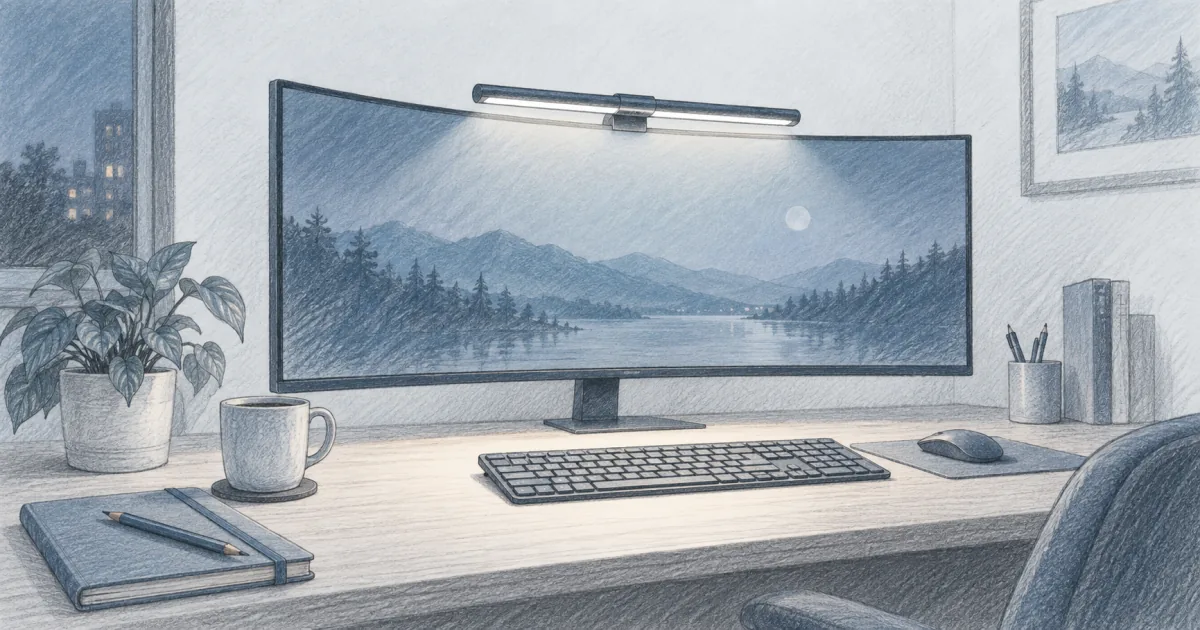
A regular monitor light bar can sit crooked or aim too far inward on a curved screen. The right curved-monitor light bar uses a curved arm or pivoting head, a clamp that fits a deeper bezel, and a wide even beam that follows the arc across your keyboard.
Our picks
A regular light bar can sit crooked on a curved monitor. The clamp grips a flat bezel that does not really exist on a 1000R or 1800R panel, so the bar tips toward the screen and aims the beam too far inward. The corners of the keyboard go dim and the middle of the desk gets a hot spot. The bars in this guide are built around that exact problem.
For general desk lighting, the monitor light bar guide covers straight bars and bias lights. For face lighting on video calls, the best webcam light and ring light for desk guides cover the camera-side job. If the screen itself sits too low or too close, fix that first with the best monitor arm pillar before blaming the lighting. Browse more lighting guides once the curved panel is lit and you want to plan the rest of the desk.
Why a curved screen changes the lighting math
A flat monitor sits square to the desk. A straight bar above the bezel throws a roughly even beam straight down. A curved monitor tilts the screen edges away from you, so a straight bar aimed at the middle of the panel ends up with its corners aiming past the desk and not at the keyboard.
That is the practical difference:
- A straight bar on a curved screen creates a hot spot in the center and dim corners.
- A curved or pivoting arm spreads the beam out to match the arc, so the corners stay lit.
- The clamp has to grip a deeper, rounded bezel. Cheap flat-bezel clamps slide on the curve.
You can still use a straight bar on a curved screen, but you will feel the off-center aim the moment the sun goes down.
What to look for in a curved-monitor light bar
Match the curve. Check your monitor's curvature (1000R, 1500R, 1800R are common). The bar should list that range or list a wider range that includes it. The Quntis IM covers 800R to 3000R, the widest range here, which catches most 34-inch-plus panels.
Match the bezel depth. Curved bezels are often deeper than flat ones, especially on ultrawide OLED panels. The Halo 2 fits bezels up to 2.36 inches, and the Quntis clamp takes screens up to 3.35 inches thick. Generic flat clamps top out around 1 inch and slip on the curve.
Check the bar length. A 66 cm bar fits 34-inch panels and reaches across most ultrawides. A 49-inch super ultrawide wants the widest bar you can get, or a dual-bar setup.
Decide on backlight. A backlight strip behind the monitor softens the contrast between a bright screen and a dark wall. The Halo 2 has a tri-zone backlight, the Quntis IM has 15 RGB modes, and the ONWAY ships with an RGB option. None of them are required, but evening sessions feel calmer with one.
Decide on control. Touch buttons on the bar work fine. A wireless remote, like on the Halo 2 and the Quntis IM, is easier when the bar sits above a deep panel you cannot reach without leaning. Auto-dimming is worth having if you work across day and night, and all three bars here include it.
Quick comparison
Quntis Curved Monitor Light Bar IM: best overall
The Quntis Curved Monitor Light Bar IM is the pick that fits the widest range of curved screens without a premium price. Its two arms fold out from the center to a 66 cm span and pivot to follow the arc, so it matches 800R to 3000R curvature. That range covers tight 1000R gaming panels, gentler 1800R work monitors, and most 49-inch ultrawides that a straight bar cannot reach.
The front light is stepless from 3000K to 6500K with four quick presets, and the ambient-light sensor handles auto-dimming when you double-tap the remote. The 45-degree asymmetric optic aims the beam at the desk instead of your eyes, and the bar is rated RA98 for color with RG0 low blue light. Around back, 15 RGB modes give the same bias-light effect as the Halo 2's tri-zone strip.
Where it gives ground to the Halo 2 is control feel and the clamp. The puck remote works well but needs its own space on the desk, and the Halo 2's clamp is the more polished fit on very thin or very deep bezels. On a 34-inch to 49-inch curved panel, the Quntis is the better use of the money for most people.
Who it is for: 34-inch and larger curved panels, including 49-inch ultrawides, where you want the widest curve fit and auto-dimming at a mid price.
Skip if: You want the rechargeable wireless dial of the Halo 2, or your monitor is a very thin bezel model that needs the deepest clamp.
Shop: Quntis Curved Monitor Light Bar IM on Amazon
BenQ ScreenBar Halo 2: best premium
The BenQ ScreenBar Halo 2 is the premium pick when you have a 32-inch to 40-inch 1000R or 1800R panel and want the cleanest fit and finish. The patented clamp is the deepest in this stack and holds a rounded bezel without sliding. The rechargeable wireless dial shows brightness and color temperature on a small tilt display, and you can set the front and back lights separately.
Real auto-dimming matters more than people expect. The sensor reads the room and drops the brightness after sunset, so you are not staring at a desk that looks like an operating room at 9 p.m. The front light runs down to a very low minimum, which is the part most cheaper bars miss, and the asymmetric optic keeps the beam off the curved screen surface.
The tradeoff is price and reach. At roughly three times the Quntis and a 50 cm length, the Halo 2 is best when your panel is 40 inches or smaller and the clamp and the dial are worth the premium to you.
Who it is for: 32-inch to 40-inch curved OLED or VA panels in 1000R or 1800R, buyers who want the cleanest clamp, the wireless dial, and a true tri-zone backlight.
Skip if: A bar this expensive is more than you want to spend, or your monitor is a wide 49-inch panel that needs more than 50 cm of reach.
Shop: BenQ ScreenBar Halo 2 on Amazon
ONWAY Curved Monitor Light Bar: best for 27-34 in
The ONWAY Curved Monitor Light Bar is the simpler, lower-cost pick when you have a 27-inch or 34-inch curved panel and want a curved-fit bar without the wider reach of the Quntis or the wireless dial of the Halo 2. The three-piece clamp holds irregular and ultra-thin bezels better than most flat clamps, and there is a small base for a webcam behind the bar. The auto-dimming sensor and wireless touch remote cover the daily basics.
The 23-inch length looks short on 49-inch super ultrawides, which is the main reason to step up to the Quntis IM. On a 27-inch or 34-inch curve, it covers the panel without overhang. The RGB backlight is a single zone rather than a full strip, and the body feels lighter than the other two picks.
Who it is for: 27-inch and 34-inch curved panels on a tight budget, especially in a darker home office where the lower brightness ceiling is not a problem.
Skip if: You have a 49-inch super ultrawide, or you sit in a sun-filled room.
Shop: ONWAY Curved Monitor Light Bar on Amazon
How to mount a light bar on a curved screen
Set the bar centered on the screen's curve, not on the monitor's bezel. On a 1000R panel, the bar's arc should follow the screen's arc, not the rectangular shape of the bezel. The Quntis IM's pivoting arms adjust to the arc, and the Halo 2's clamp follows the curve naturally.
Pull the bar forward until the clamp sits flat against the bezel. A clamp that floats above a curved bezel will slowly walk forward as you nudge it. Tighten until the bar holds its angle under light finger pressure.
Start dimmer than you think. Most people run a new bar at full brightness because they are used to the lamp it replaced. Drop the brightness until the keyboard is just readable. The eye-comfort win comes from contrast reduction, not raw brightness.
What to pair it with
Bias light softens the contrast between a bright screen and a dark wall. A curved light bar handles the keyboard. Pair the bar with a USB strip behind the panel for evening sessions. The bias lighting for monitor guide covers the strip side.
If your screen sits too low, fix the height first. A light bar above a low monitor still aims at the back of the desk, not your hands. The best monitor arm pillar covers the height problem. The standing desk height guide covers desk-side fit if your chair and panel are settled but the keyboard still feels off.
For video calls, the bar is not a face light. Aim it down at the keyboard, not at your face. The best webcam light guide covers the camera-side job separately.
Common mistakes with curved light bars
Buying a straight bar for a curved screen. It will sit crooked and aim past the keyboard. Look for "curved" or "800R to 3000R" in the listing.
Ignoring bezel depth. A clamp that fits a 0.3-inch flat bezel will slide on a 1-inch curved bezel. Measure before you order. The Halo 2's clamp and the Quntis clamp are the deepest in this stack.
Running at full brightness all day. Drop the brightness until the keyboard is just readable. Auto-dimming sensors on the Quntis IM, Halo 2, and ONWAY handle this for you.
Aiming at the screen instead of the desk. A bar that bounces light off the panel creates glare. The asymmetric optic on the Halo 2 and the Quntis IM aims the beam past the screen onto the desk surface.
Mounting the bar on a wobbly monitor. If the screen rocks when you type, the bar will rock with it. Fix the stand or switch to a monitor arm before blaming the bar.
Buying a 23-inch bar for a 49-inch screen. It will look short and leave the edges of the keyboard dim. Match bar length to monitor width, or step up to a 66 cm or longer option.
Bottom line
A curved-monitor light bar needs an arc-matching arm, a clamp that grips a deeper bezel, and a beam wide enough to follow the screen's shape. The Quntis Curved Monitor Light Bar IM is the best all-round pick for 34-inch-plus curved screens. The BenQ ScreenBar Halo 2 is the strongest premium pick for 1000R and 1800R panels. The ONWAY Curved Monitor Light Bar is the low-cost pick for 27 to 34 inch curves. Browse more setup guides on the blog or start from the homepage.
Frequently Asked Questions
Do monitor light bars work with curved monitors?
Yes, but only if the bar is built for the curve. A straight bar that lights a flat screen will cast a hot spot toward the middle and dim corners on a curved panel because the screen tilts away at the edges. Curved or pivoting bars throw an even beam that follows the arc and lights the full desk width.
What is the best light bar for a curved monitor?
The Quntis Curved Monitor Light Bar IM is the best all-round pick for 34-inch-plus curved panels, with an 800R to 3000R range and a 66 cm bar that reaches across larger screens. The BenQ ScreenBar Halo 2 is the premium choice for 1000R and 1800R panels. The ONWAY Curved covers smaller 27-34 inch curved panels at a low price.
Are curved monitor light bars better than straight ones?
For a curved screen, yes. The dual arc or pivoting design spreads the beam out to match the screen's shape, so the corners of the keyboard zone are not dim. On a flat monitor, a straight bar is simpler and cheaper and works just as well.
Do monitor light bars actually help eye strain?
They can. A bar that lights the keyboard without throwing light into your eyes lets you drop the screen brightness a notch and reduces the contrast between a bright display and a dark room. It is one piece of an eye-comfort setup, not a replacement for breaks.
Will a regular monitor light bar slide on a curved screen?
Sometimes. A clamp with a flat front can slip on the rounded top of a curved panel because there is less flat bezel for the grip to bite. Curved-fit bars include an extra silicone pad or a deeper clamp to hold the curve. Measure your bezel depth before you order a straight bar for a curved screen.
How bright should a curved monitor light bar be?
Enough to read paper on the desk without raising screen brightness. Around 300 to 500 lux at the keyboard works for most people in dim rooms. Higher settings exist for daylight offices. Auto-dimming, like on the Quntis IM, the Halo 2, and the ONWAY, removes the daily guesswork.
Can I use a curved monitor light bar on a flat monitor?
Yes. Curved-fit bars like the Quntis IM and ONWAY sit on flat bezels the same way straight bars do. The arc just looks softer against a flat screen. If you ever upgrade to a curved panel, you can keep the same bar.
Will a light bar fit a 49-inch super ultrawide?
It can. A 66 cm bar like the Quntis IM is rated for 32 to 49 inch screens and folds out to follow a wide curve, so it reaches further across a 49-inch panel than a 23-inch bar. Even so, measure your monitor width and add an inch on each side before you buy, and check that the arms extend fully on the tightest curves.