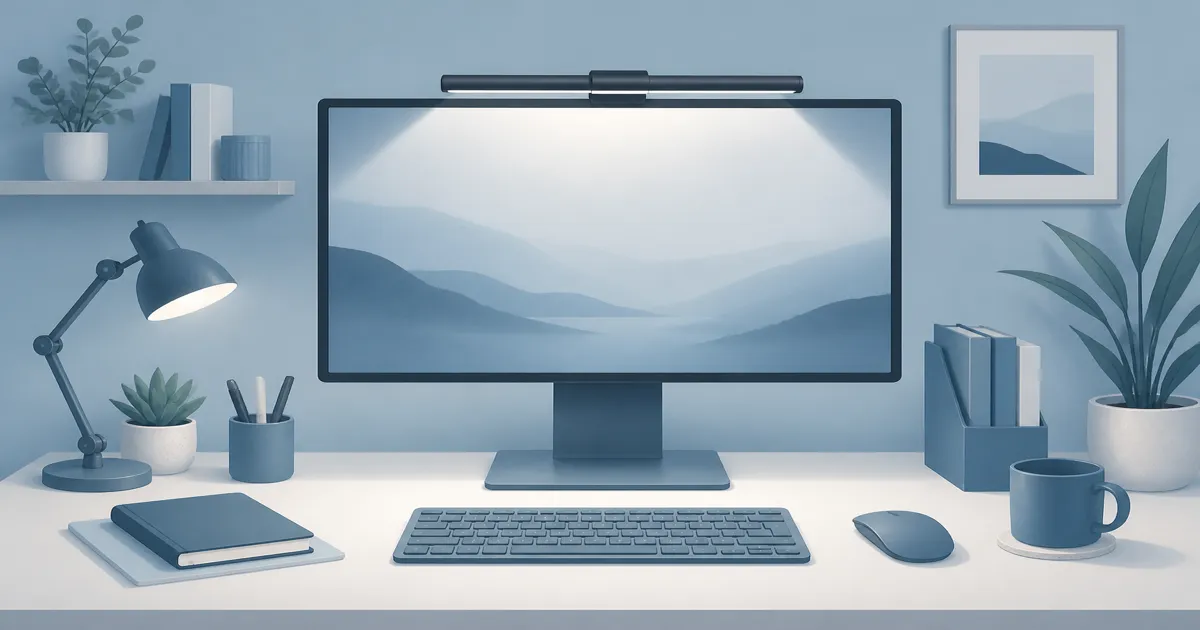
Best Monitor Light Bar for Home Office Desks
Lighting
A monitor light bar lights your desk from above the screen so you keep surface space free and cut the glare that a poorly aimed lamp can cause on glossy panels.
Our picks
Desk lamps are familiar. Light bars feel like a niche gadget until you sit at a small home desk with a laptop stand, notebook, and water bottle fighting for the same square footage. The bar hangs on the screen and aims down, so you keep the desktop for typing instead of a lamp base. More lighting guides cover desk lamps and bias strips when you want a full room plan.
Compare with best desk lamp if you still want a classic lamp alone. For face lighting on video calls, use a webcam light or ring light for desk instead of aiming a bar at your webcam. If your screen sits too low, fix height with best monitor arm before you blame lighting alone.
What a monitor light bar actually does
A light bar sits on the top bezel and aims light down onto the desk surface. The goal is readable keyboard and paper lighting without a bright bulb in your peripheral vision and without a lamp head reflecting in the display.
Typical features:
- Clamp or gravity mount on the monitor top
- Diffused LED strip aimed at the desk
- Brightness control
- Warm-to-cool color temperature control on better models
- USB power from a hub, monitor port, or wall adapter
If the photos only show a glowing strip with no shade geometry, be careful. The shade is what keeps light off the panel.
How do I mount a light bar so it stays level?
Center it on the top bezel, keep the bar level, and confirm the clamp or gravity mount matches your bezel thickness. A gravity mount can slide on a slippery top edge, so wipe the bezel first. Start dim, then raise brightness until the keyboard is easy to see.
Do I need bias lighting too?
Only if the room still feels harsh after the desk is lit. Bias lighting is a soft glow behind the monitor that softens the jump between a bright screen and a dark wall, so it solves a different problem from a light bar. See bias lighting for monitor for a simple USB strip.
The purpose of a monitor light bar is desk light, not room light. It will not replace a ceiling fixture. It will replace the lamp that currently fights your screen for the same square of desk.
When a light bar beats a lamp
Small desk. No lamp base, no swing arm colliding with a monitor arm.
Glare problems. A lamp aimed toward the screen often creates a hot spot. A well-designed bar lights the desk while shielding the display.
Sit-stand desks. A lamp that tips or needs re-aiming every height change gets annoying. A bar travels with the monitor.
Minimal setups. Cleaner look if you care about surface clutter.
Is a light bar better than a desk lamp?
A bar is better on a small desk or when a lamp head reflects in the screen, because it hangs on the monitor and aims down. A lamp is better when you mark up paper off to the side. Many people use both and turn the lamp off when the bar is enough.
When a desk lamp is still smarter
You annotate paper off to the side. You need a bright reading pool away from the monitor. You share the desk with crafts or sketching. Your monitor has an odd curved top that will not hold a bar securely. In those cases, keep the side lamp in the kit instead of forcing one light to do every job.
When does a lamp still win?
A lamp wins when you annotate paper away from the monitor, need a bright reading pool for crafts, or your screen has an odd curved top that will not hold a bar. Then keep the side lamp instead of asking one light to do every job.
Setup kit: bar plus side lamp
1. BenQ ScreenBar. Mount it centered and level. Start dimmer than you think, then raise until the keyboard is easy to see. Use a warmer setting after sunset if cool white makes you feel wired. Shop the ScreenBar.
2. White crown desk lamp. Park it for side paper work or turn it off when the bar is enough. The USB port is a small bonus on crowded desks. Shop the White crown lamp.
Route both power cables with your monitor loom so nothing hangs in your face when you stand.
If your monitor is curved
A straight bar like the ScreenBar works on a curved screen, but it rests on the flat middle of the bezel and aims its beam slightly inward, so the outer edges of the keyboard go dim. The Quntis Curved Monitor Light Bar IM is the fix. Its arms fold out to 66 cm and pivot to match 800R to 3000R curvature, which covers most 34-inch and larger curved panels.
It runs stepless from 3000K to 6500K with auto-dimming and 15 RGB backlight modes. It is bigger and heavier than the ScreenBar, so save it for a curved or ultrawide panel rather than a 24-inch flat screen. Shop the Quntis curved bar.
For more curved-fit bars, see the monitor light bar for curved monitors guide.
Specs that matter
USB power is convenient until the hub is already maxed. If the bar flickers when the desk rises, the cable is tight or the port is weak. Use a dedicated adapter if one is included, and leave a loop in the loom so sit-stand travel does not yank the bar.
Curved monitors and ultra-thin bezels are the common fit fails. A gravity-mount bar can slide on a slippery top edge. A clamp needs enough bezel to bite. Measure before you order, especially on an ultrawide that is much wider than a 27-inch panel.
Which light bar fits which monitor?
Which light bar should you buy?
Buy the BenQ ScreenBar for a flat monitor on a normal desk, because the auto dimming and bezel fit are the easiest to live with. Buy the Quntis curved bar only if your panel is 34 inches or larger and curved, where a straight bar leaves the keyboard edges dim.
Light bar vs bias lighting
Bias lighting is a soft glow behind the monitor that reduces the harsh jump between a bright screen and a dark wall. A light bar lights the desk in front. You can use both, but buy for the problem you have:
- Eyes tired from a glowing screen in a cave → try bias light
- Hands and notes hard to see → try a light bar or lamp
- Both problems → solve desk light first, then add bias if the room still feels harsh
Common mistakes with light bars
Mounting on a wobbly monitor. Fix the stand or switch to a solid monitor arm first.
Running brightness at max all day. Dim until paper is readable, then stop.
Ignoring power path on a standing desk. Leave slack in the loom.
Expecting one bar to light a whole L-shaped desk. Side tables still need a lamp or overhead light.
Warm light after sunset is easier on tired eyes for many people. Cool white can feel "alert" at 9 p.m. when you only needed to see the keys. Use the color-temperature slider as a daily habit, not a one-time setup.
If the keyboard is still in shadow after a proper bar, the monitor may sit too far back. Pull the screen closer or raise it on a monitor arm so the bar actually hangs over the typing zone. A bar on a monitor pushed against the wall lights the back of the desk, not your hands.
On a standing desk, recheck aim after the first week of height changes. The bar travels with the screen, which is the point, but a tilted panel can throw the beam onto the wrong patch.
Bottom line: Buy a monitor light bar when desk space and screen glare are the real problems. Pair the BenQ ScreenBar with a small side lamp when your work happens beside the screen, not only under it. If your monitor is curved (1000R or 1800R), see the monitor light bar for curved monitors guide for arc-matching picks. Browse more setup guides on the blog or start from the homepage.
Frequently Asked Questions
What is a monitor light bar?
A thin light that clamps or rests on the top edge of your monitor and shines down onto the desk, not into your eyes or straight at the screen. The BenQ ScreenBar is the kit's primary pick.
Is a monitor light bar better than a desk lamp?
Better for small desks and reducing glare from a lamp aimed at the screen. A desk lamp still wins when you need side reading light. Many people use both: bar for the keyboard zone, lamp for paper off to the side.
Will a light bar cause screen glare?
Good bars are designed to light the desk while shielding the panel. Cheap bars with no shade can bounce light onto glossy screens. Check reviews for glare complaints.
Do I need bias lighting too?
Bias lighting behind the monitor softens contrast with a dark room. A light bar and bias light solve different jobs. See bias lighting for monitor for a simple USB strip kit.
Can I use a light bar on an ultrawide?
Some bars are long enough; others look short on ultra-wide panels. A 66 cm curved bar like the Quntis IM is rated for 32 to 49 inch screens, while a 50 cm bar suits a 34-inch panel better. Check length against your monitor width before you buy.
How do I mount a monitor light bar?
Center it on the top bezel, keep it level, and confirm the clamp or gravity mount matches your bezel thickness. Start dim, then raise brightness until the keyboard is easy to see.
Will a cheap no-name bar work?
Cheap bars with no shade can bounce light onto glossy screens. If recent owners mention glare, skip that bar even if the price is low.
Can I put a light bar on a laptop?
Only if the lid is thick enough and you will not close the laptop with the bar attached. Most people are better with a small desk lamp beside a laptop stand.