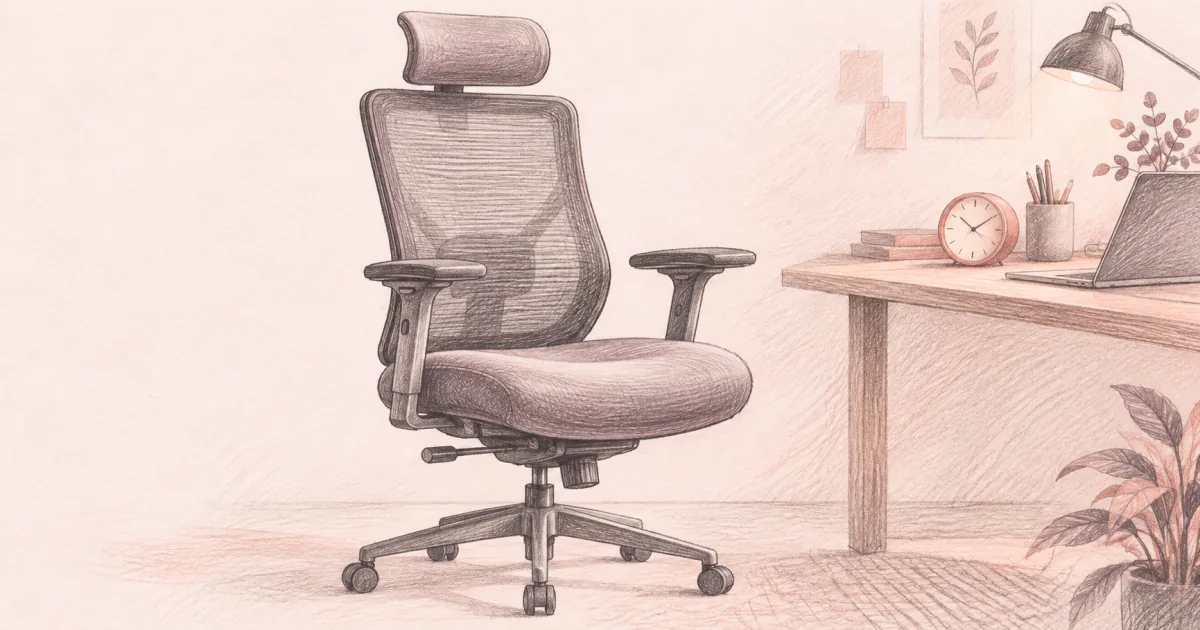
Best Office Chair for Long Hours (2026): Day-Long Endurance Picks
Office chairs
The best office chair for long hours is the one whose seat, lumbar, and mesh still feel right at the four-hour mark. Branch Ergonomic Pro is the premium endurance pick, Ticova is the all-day mesh value, and Duramont is the under $200 bridge that survives real workdays.
Our picks
Sitting eight hours in the wrong chair feels fine at 9 a.m. and unforgivable by 3 p.m. A chair built for long hours does not just look the part. It keeps your lumbar on your lower curve after lunch, dumps heat through the mesh seat, and lets your shoulders drop at the desk without fighting the armrests. The picks in this guide all clear those tests for full-day remote work.
If you are still building the broader setup, start with the best office chair pillar for the full comparison and the best ergonomic office chair guide for the fit checklist. If the lumbar is the whole reason you are shopping, the best lumbar support for office chair guide covers pillows and built-in support. Browse the office chairs category for the rest of the cluster.
What makes an office chair good for long hours
Long-hour comfort is about four things working together: lumbar that lands on the lower curve, a seat that breathes, arms that meet typing height, and a recline that lets you reset without losing posture. If any one of those fails, the others cannot save the chair by the four-hour mark.
The Branch Ergonomic Pro covers all of these. The Ticova covers most of them at a friendlier price. The Duramont covers the basics when the budget is the hard limit.
How do I know if a chair will still feel right at hour four?
Look at seat foam density, lumbar travel, and breathability before price. A chair that skips those feels fine for an hour and punishing by the fourth. A short session in a showroom tells you almost nothing about a full workday.
What is the most underrated feature for long hours?
Forward tilt. Most mesh chairs recline back, but a forward tilt keeps your hips open and your spine stacked while you type, which is the posture that lets you sit longer without drifting into a slouch. Then switch to the recline for calls and breaks.
Top pick: Branch Ergonomic Chair Pro
The Branch Ergonomic Chair Pro is the best office chair for long hours when you want a chair that still feels right at the four-hour mark and has the adjustability to last a real remote work stretch. The mesh seat and back dump heat away from the spine through stacked calls. 5D armrests move forward, sideways, and pivot to meet a desk at the height you actually type. Adjustable lumbar and seat depth let you tune the fit across a week of meetings instead of just a five-minute unboxing sit.
Forward tilt is the underrated feature for long hours. Most mesh chairs tilt back and recline. The Branch also tilts forward, which keeps the hips open and the spine stacked during typing. After lunch, switch to the smooth recline for calls. The 5D armrests matter more than people expect: if arms sit too high or too wide, your shoulders hike and everything else feels off.
The price is the trade. Premium mesh chairs cost more because the mechanism, the arm geometry, and the warranty are built to last. If you sit full workdays and want a chair that holds up, the higher price pays for that. Assembly takes patience. Set lumbar before you decide the chair "does not work." Keep the box through a full week of calls.
Who it is for: Full-time remote and hybrid workers who want premium all-day endurance with deep adjustability.
Skip if: The budget is the hard limit, or you mainly sit short blocks. The Ticova or Duramont cover those jobs at a friendlier price.
Shop: Branch Ergonomic Chair Pro on Amazon
Best value: Ticova Ergonomic Office Chair
The Ticova Ergonomic Office Chair is the best office chair for long hours when you want most of the all-day comfort at a friendlier price than premium chairs. It pairs an adjustable lumbar pad and headrest with a breathable mesh back, 3D armrests, and a 130° rocking recline that lets you reset the hip angle during breaks. The mesh back dumps heat away from the spine. 3D armrests fold up so the chair slides under a standard desk without forcing the seat pan wider than you need.
Buyers who switched from a basic mesh chair to the Ticova say the lumbar placement and headrest are the upgrade they notice first. The high-density foam seat holds shape through a workday.
Owners often mention a foam seat that feels firmer than mesh seats for the first week, and a recline tension knob that takes patience to set. Both are reasonable trade-offs at the price.
Who it is for: People who want real long-hours mesh comfort with adjustable lumbar and a headrest without jumping to premium chair pricing.
Skip if: You specifically want mesh for the seat, or you need a deeper warranty than a few years.
Shop: Ticova Ergonomic Office Chair on Amazon
Best budget under $200: Duramont Ergonomic Office Chair
The Duramont Ergonomic Office Chair is the best office chair for long hours when you want a real long-hours chair for under $200. The 4D adjustable lumbar moves up, down, in, and out so it actually lands on your lower curve. The mesh back keeps heat down on stacked calls. The thick memory foam seat contours to your body through a workday. The 350 lb weight rating is higher than most chairs in this price band, which makes the chair feel more stable through long sessions.
The armrests adjust height only. If your typing height requires depth or angle adjustment, the Duramont is not the right chair. The foam seat is also thinner than the Ticova's and will compress sooner if you sit eight hours a day. Treat the Duramont as the budget bridge that covers real workdays while you save for the Ticova or Branch.
If your office chair budget is hard at $200, this is where to start. If you can stretch, the Ticova's longer seat life pays back the difference in about a year.
Who it is for: Buyers with a hard budget under $200 who still want adjustable lumbar, breathable mesh, and a thick seat cushion.
Skip if: You sit eight hours a day for years on end. Step up to the Ticova for longer seat life.
Shop: Duramont Ergonomic Office Chair on Amazon
Best budget mesh: TRALT Ergonomic Office Chair
The TRALT Ergonomic Office Chair is the best budget mesh pick for long hours when you want movable lumbar and a breathable back for about $120. The lumbar depth knob moves in and out so the pad meets your lower back, and the mesh back keeps heat down through a full afternoon. Flip-up arms slide under a standard desk, and the 330 lb base uses a Class 3 BIFMA gas lift, which is more lift than most chairs at this price carry.
The seat sits 17.7 to 21.7 inches high, so a shorter sitter wants the low end plus a footrest. The foam seat feels firm on day one, and this model has no headrest. If a headrest matters to you, the Ticova covers that for more money.
Who it is for: Long-hour buyers on a tight budget who want a movable lumbar pad, a mesh back, and arms that get out of the way.
Skip if: You want a headrest out of the box, or you prefer a plush seat on day one.
Shop: TRALT Ergonomic Office Chair on Amazon
Quick comparison
How to set up an office chair for long sitting hours
A chair that fits correctly still needs the right setup before it pays back. The most common long-hour pain traces back to a chair that was never adjusted after assembly.
What is the right order to set the adjustments?
Start at the seat, then work up. Set seat height, then lumbar, then arms, then seat depth, then recline. Changing the arms before the seat height just moves the shrug around instead of removing it.
- Set the seat height first. Hips at or just above knee height, feet flat on the floor. Sitting too low loads the lower back. Sitting too high lets the seat edge press into the thighs.
- Set lumbar height. Move the lumbar pad until it lands in the lower curve, not the upper back or the tailbone. Then adjust depth until it makes gentle contact.
- Set the armrests. Elbows near 90 degrees, shoulders relaxed. If the armrests force a shrug, lower the desk instead of raising the arms.
- Set seat depth. Keep a fist of space behind the knees when your back meets the backrest.
- Set recline. Use 100 to 110 degrees for typing, 120+ for breaks. Lock the tilt so the chair does not slide when you lean back.
- Take standing breaks every 45 minutes. No chair fixes eight hours of sitting. Stand, walk, and stretch before sitting back down.
Long-hours comfort vs a short-day chair
A chair built for short sessions can feel fine for the first hour and punish you by the fourth. The difference is usually cushion density, lumbar adjustability, and breathability. Short-day chairs often skip those because they assume the user will get up before they matter.
If you already returned a chair that felt great for an hour and unbearable by lunch, the failure was almost always in one of those three areas. The picks above all clear those tests for real workdays.
How is a long-hours chair different from a short-day chair?
A short-day chair saves money on cushion density, lumbar travel, and breathability because it assumes you will stand up soon. A long-hours chair spends on those three things, which is why it costs more and why it still feels right at hour four.
What to pair with a long-hours office chair
Common long-hour disappointments
Mesh seat feels too firm for the first week. Most returns on a mesh chair happen in the first three days. Give it a week of normal use before you decide.
Lumbar is set too high. Move it down. Most long-hour pain comes from lumbar that sits on the upper back instead of the lower curve.
The chair arrived with a loose cylinder. Tighten the cylinder seat after assembly. A wobble is usually a loose bolt, not a bad chair.
Recline tension pushes you forward. Adjust the tension knob under the seat. Most chairs ship too tight.
Casters skate on hard floors. Soft casters or a chair mat fix the skate. The chair itself is fine.
You sit for more than eight hours a day with no break. No chair is built for that. Stand every 45 minutes.
When to see a clinician
A chair can take pressure off the lower back and let you sit with a more open hip angle. It will not fix structural back pain, a herniated disc, or a flare from an old injury. Sharp pain that does not ease when you stand, pain that wakes you at night, or pain that radiates down the leg is not a chair problem. See a clinician. A new chair can wait. A structural flare cannot.
Bottom line: The best office chair for long hours for most home workers is the Branch Ergonomic Chair Pro for premium all-day mesh endurance, the Ticova Ergonomic Office Chair for mesh value at a friendlier price, and the Duramont Ergonomic Office Chair for under $200. Set lumbar on your lower curve, take a standing break every 45 minutes, and let the chair do its job.
Frequently Asked Questions
Which chair is best for long sitting hours?
The chair that still feels right at the four-hour mark is the one with lumbar that lands on your lower curve, a mesh seat that breathes, and arms that meet typing height. The Branch Ergonomic Chair Pro is the premium pick when you want 14 points of adjustment and a forward-tilt mechanism for real workdays. The Ticova gets most of the all-day comfort at a friendlier price. The Duramont covers the under $200 bridge when the budget is the hard limit.
What is the best office chair cushion for sitting long hours?
Mesh seats stay cooler than foam through a full workday. If the chair you like comes with foam, look for a thick, high-density seat that holds shape. Add a separate memory-foam cushion only when the chair seat is fine for support but feels firm on the sit bones. A seat cushion cannot fix a chair whose seat depth or lumbar does not fit your body.
What is the Rolls-Royce of office chairs?
The "Rolls-Royce of office chairs" usually refers to the Herman Miller Aeron, which has been the high-end mesh benchmark for two decades. It is built for all-day sitting and lasts a decade or more. The Branch Ergonomic Chair Pro covers most of the same all-day endurance at a friendlier price for home offices.
What chairs do chiropractors recommend at an office?
Chiropractors tend to recommend chairs with adjustable lumbar that lands on the lower curve, seat depth that fits the user's thighs, and armrests that let the shoulders drop. They usually suggest mesh or breathable fabric so the spine does not sit in a sweat-soaked foam cradle. The Branch Ergonomic Chair Pro and Ticova both meet those rules. A chair is fit for a workday, not a substitute for clinical care on a structural issue.
What is the most comfortable office chair for long hours affordable?
The Ticova is the comfortable long-hours pick in the affordable band. It combines adjustable lumbar, a breathable mesh back, 3D armrests, and a 130° rocking recline at a price well below premium chairs. Pair it with a short standing break every 45 minutes for the full effect.
How do I stop back pain from sitting too long at my desk?
Set lumbar on your lower curve, keep a fist of space behind the knees, and stand for two to three minutes every 45 minutes. Add a seat cushion only when the chair seat itself feels hard. If back pain keeps coming back, see a clinician. A chair can take pressure off the back; it cannot fix a structural issue.
Is mesh really better for long hours than foam?
Mesh stays cooler through stacked calls and dumps heat away from the spine. Foam can feel plusher in a cold room but develops a hot spot by afternoon and compresses after a year of use. If you sit a real workday, mesh is the safer default for temperature and seat shape over time.
How long should an office chair last for daily work?
Most home office chairs last three to five years of full-day use before the foam, mesh, or gas cylinder starts to give out. Premium chairs with longer mechanisms and stronger frames (the Branch Ergonomic Pro is built for daily use and ships with replacement-part coverage) last longer because the moving parts are built to take real hours. Buy on warranty language on the mechanism, not on fabric warranty alone.
Is the TRALT chair good for long hours?
The TRALT is the budget mesh pick for long hours at around $120. Its lumbar moves in and out on a knob, its arms flip up to reach a standard desk, and its 330 lb base uses a Class 3 BIFMA gas lift. It has no headrest, and the flat foam seat feels firm at first, so add a seat cushion if you sit more than eight hours.