Best Under Desk CPU Holder (2026): Clamp, Swivel, and Sliding-Track Picks
Desk accessories
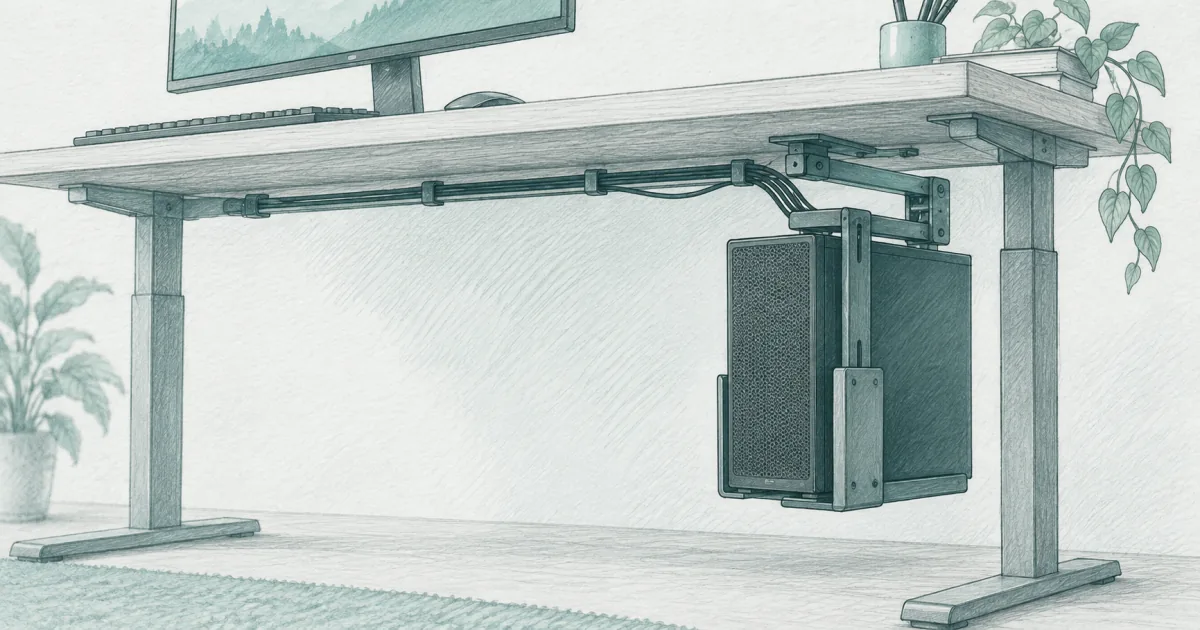
An under desk CPU holder lifts your tower off the floor, frees leg space, and keeps cables from snagging. Pick a swivel mount for most builds, a sliding track for heavy towers, or a clamp mount when you cannot drill the desk.
Our picks
Putting the PC tower on the floor is a small habit that costs you space, dust, and cable reach. An under desk CPU holder lifts the case so it sits where you can already see it: under the screen. It also keeps the tower out of chair caster paths and stops the bottom of the case from collecting whatever ends up on the floor.
Browse related desk gear in our desk accessories picks, then keep cables tidy with cable management for desk and hide power bricks with an under desk power strip so the new mount is not the only thing doing work under there.
Match the mount to your tower and your desk
Three numbers decide which mount actually fits: tower weight, tower width, and desk thickness. Weight comes first because the wrong capacity rating is what makes a mount unsafe.
Most mid-tower home and office PCs sit between 15 and 25 pounds once you add a power supply and a few storage drives. A mount rated for 22 pounds handles that range with margin. Heavy gaming towers, workstations, and cases with large radiators can hit 40 to 60 pounds, which puts you in the 66 pound bracket.
Width matters because the bracket frame has to grip the case. Towers wider than about 9 inches need a mount with an adjustable frame that opens past that mark. Clamp mounts add a fourth question: will the clamp fit the desk leg. C-shaped legs and round feet will not take a clamp, so a screw-on mount is the only option.
Quick comparison
Top pick: VIVO MOUNT-PC01 swivel mount
The VIVO MOUNT-PC01 is the safest default for most home and office PCs. Twenty-two pounds of capacity covers the majority of mid-tower builds. The 135 degree swivel means you do not have to leave your chair to plug in a USB drive or read the rear ports. The steel frame is powder coated and the inside of the bracket has foam padding so the case finish stays clean.
It mounts with four screws into the underside of the desktop. On a solid wood or laminate top that takes about ten minutes. On a thin pressboard top, reinforce with a backer board or pick a clamp mount instead.
Who it is for: Most home and office PCs in the 15 to 22 pound range, especially when you want rear port access without leaving the chair.
Skip if: Your tower is heavier than 22 pounds or the desk is a rental you cannot drill.
Shop: VIVO MOUNT-PC01 on Amazon
Best heavy-duty shelf: VIVO MOUNT-PCSF1
The VIVO MOUNT-PCSF1 is the right answer for heavier towers and full-size cases. Forty-four pounds of capacity handles full-size gaming rigs and most workstations. The shelf platform sits lower than a hanging swivel mount, which leaves the top of the case easy to reach from your chair. The two installation frame widths let you tune the fit for narrow or wide cases.
It is heavier than a basic swivel mount and uses the same screw-in pattern. Confirm the underside of the desk can carry the load and that the shelf sits above your knee clearance at sitting height.
Who it is for: Heavy gaming towers, full-size workstations, and anyone who wants a sturdy platform rather than a hanging cradle.
Skip if: Your tower is light enough for the basic swivel mount, or the shelf would clip your knees at sitting height.
Shop: VIVO MOUNT-PCSF1 on Amazon
Best clamp: VIVO MOUNT-PCLC1
The VIVO MOUNT-PCLC1 clamp mount grips the side of a desk leg, so you skip drilling entirely. That makes it the right pick for renters, shared desks, and standing-desk owners who do not want extra weight on a moving top. The clamp has a strong dual grip and the bracket frame adjusts to fit wider and taller cases.
It needs a flat side on the desk leg to grip, which rules out round or curved leg designs. C-shaped legs with a flat inside surface work fine.
Who it is for: Renters, standing-desk owners, and anyone who wants to move the mount between desks.
Skip if: Your desk leg is round or your tower weighs more than the clamp mount's rating.
Shop: VIVO MOUNT-PCLC1 on Amazon
What to check before you mount anything
Weight and capacity. Weigh the tower if you have a scale, or add the specs for the case, power supply, and any large cooler. Pick a mount rated well above the total.
Width and height. Most mounts list the width and height range they fit. Measure your tower and add an inch of margin so the foam padding does not have to squeeze.
Mounting surface. Solid wood and laminate tops take screws well. Glass tops need a clamp or a freestanding stand. Thin pressboard tops need a backer board to spread the load.
Cable slack. Leave enough slack on every cable that runs to the tower so the desk can move on a sit-stand frame. A sliding track mount makes this easier because you can pull the tower out without yanking cables.
Standing desks and CPU mounts
Mounting a PC under a standing desk adds moving weight to the top. A heavy mount plus a heavy tower can push a sit-stand motor past its comfort zone. The clamp mount is the lightest option and stays in place as the desk moves. If you want a heavier mount, check the standing desk's weight capacity first, including the top itself.
Plan cable slack for the full travel of the desk. A cable that is tight at sit height can yank a connector loose at stand height, and you will not notice until the next morning.
Mistakes that wreck a new mount
Trusting a vague capacity rating. Some listings use the bracket's own weight as the rating, not the load. Look for a "load capacity" or "supports up to" number that includes the tower.
Mounting to the surface veneer. Screws only bite if they pass through the veneer into the substrate. On a thin pressboard top, the screws will eventually strip and the mount will sag.
Forgetting airflow. A mount that wraps the bottom of the case can block the intake fan. Pick a mount with an open frame or leave a gap at the bottom.
Skipping the backer board on a particle-board top. Spread the load with a piece of plywood on top of the underside before you mount. Cheap insurance against sag.
Pairing a CPU mount with cable management
A tower pulled off the floor exposes every cable that used to hide behind it. Run a cable tray under the desk with cable management for desk so the power brick and surge strip do not end up dangling. Bundle the rear cables with velcro straps and leave a service loop long enough for the tower to slide out on a track mount.
If your monitor sits on a monitor arm, check that the arm's clamp and the CPU mount do not fight for the same bracket space on the desk edge. Stagger them front to back so neither blocks the other.
When to skip the CPU mount
Skip it if your PC is a small form factor that already fits on the desk or inside a cabinet. Skip it if your desk has a glass top and you do not want a clamp. Skip it if your tower is too heavy for any mount under 60 pounds and you do not want to commit to a heavy-duty sliding track.
A closed PC cabinet with good airflow is still a fine home for a tower. The mount is a convenience upgrade, not a requirement for most setups.
Bottom line
The best under desk CPU holder for most people is the VIVO MOUNT-PC01 swivel mount, which handles most mid-tower PCs and lets you reach the rear ports without leaving the chair. Move up to the VIVO MOUNT-PCSF1 shelf mount for heavy gaming or workstation builds.
Pick the VIVO MOUNT-PCLC1 clamp mount when you cannot drill the desk or you want to keep a standing desk moving freely. Weigh the tower, measure the case, and confirm the desk can carry the load before you drill. More setup help lives on the desk accessories page and the homepage.
Frequently Asked Questions
What is the best under desk CPU mount?
For most home PCs, the VIVO MOUNT-PC01 is the easiest mount to live with. It holds up to 22 pounds, swivels for port access, and fits the width of most mid-tower cases. If your tower is heavier than that, move to the VIVO MOUNT-PCSF1 shelf mount with its 44 pound capacity. If you cannot drill the desk, the VIVO MOUNT-PCLC1 clamp mount is the right answer.
Is it safe to mount a PC under a desk?
Yes for most desktop towers. The steel frame takes the weight off the floor, the foam padding protects the case, and the open design keeps air flowing. Make sure your desk can carry the added weight and that the screws go into the wood top, not just the surface veneer.
How do you store a PC under a desk?
Measure your tower's height, width, and weight, then match those numbers to the mount's capacity and adjustment range. Mount the bracket to the underside of the desk or clamp it to a leg. Leave enough clearance above the floor for airflow and below the desk for your knees when you sit.
Is a CPU holder worth it?
A CPU holder is worth it if you want your tower off the floor, away from dust and spills, and easy to reach. It also frees floor space and stops cables from snagging chair casters. Skip it if you already use a closed cabinet that vents well or if your PC is a small form factor that fits on the desk.
Will a heavy gaming tower fit an under desk mount?
Only if the mount's weight rating is well above your tower's actual weight. Heavy gaming rigs with large GPUs and liquid cooling can weigh 30 to 50 pounds. Pick a mount rated for at least 44 pounds, like the VIVO MOUNT-PCSF1, and confirm the width and height ranges fit the case.
Do CPU mounts need drilling?
Most under desk CPU holders screw into the underside of the desktop. Clamp mounts like the VIVO MOUNT-PCLC1 skip drilling and grip the side of a desk leg instead. Adhesive mounts exist but are not reliable for daily use with a heavy tower.
Can I mount a CPU holder on a standing desk?
Yes, but pick a clamp version or a mount that is light enough that the moving top can carry it without straining the motor. The clamp-on VIVO mount is built for sit-stand desks and stays in place through height changes.
How much clearance do I need under the desk for a CPU mount?
Measure from the underside of the desktop to the floor, then subtract the height of your tower. Most mounts need the tower to hang with at least an inch of clearance on top and bottom for airflow and bracket travel. Plan cable slack so the desk can still move up and down on a sit-stand frame.