Standing Desk for Tall People: What to Measure Before You Buy
Standing desks
Tall remote workers need more than a wide desktop. This guide explains how to check a standing desk’s usable height, depth, and stability before buying.
Our picks
A standing desk can look generously sized in a product photo and still be wrong for a tall worker. The important measurement is not whether the desk is called “large.” It is whether the keyboard surface can sit at your elbow height without your shoulders creeping upward or your wrists bending back.
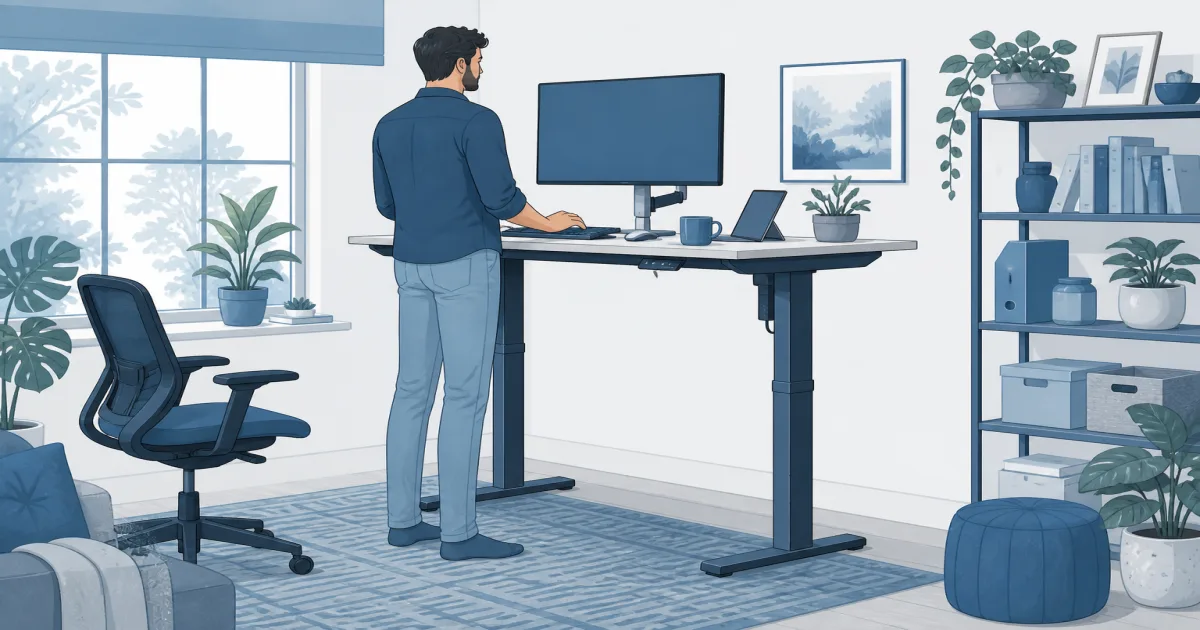
Stand in the shoes you actually wear at the desk. Measure from the floor to a relaxed elbow. That number is the keyboard height you need, not a generic “large desk” label.
Measure your working height before shopping
Stand in the shoes or slippers you normally use at your desk. Let your arms hang, then bend your elbows as if your hands are resting on a keyboard. Measure from the floor to the underside of your forearms. That number is the practical target for the keyboard surface.
Do not measure to the top of your shoulders or to the middle of your chest. Those numbers make a desk seem tall enough when it is not. Also remember that a thick keyboard, desk mat, or wrist rest adds height. A desk that barely reaches your elbow measurement leaves no room for those everyday items.
Our standing desk height guide explains how to dial in the final keyboard and screen position once the desk arrives.
If height range decides the purchase, more frames are ranked in the standing desks category.
Check the maximum height, not just the advertised range
Manufacturers often list a broad adjustment range, but the top number is what matters here. Look for the maximum height with the desktop installed. If the listing is unclear, read the specifications, question section, and recent reviews before ordering.
Give yourself a little margin. A desk that reaches exactly to elbow height may feel short once you add a keyboard tray, a thick mat, or a pair of shoes. A few extra inches gives you room to set the desk where your shoulders can relax instead of holding them up through a long call.
Avoid guessing from your own height alone. Two people who are both six feet tall can have very different torso and arm lengths. Elbow height is the useful measurement.
Choose enough desktop depth for your screen
Tall workers often sit farther back from the screen, especially when using a large monitor. A shallow desktop can force the monitor too close, even if the desk height is fine. Twenty-four inches can be workable for one monitor and a compact keyboard. If you use a large display, laptop, or two screens, look for more depth or plan on a monitor arm.
Depth also affects how you type. You want room to keep the keyboard near your body while leaving a comfortable gap to the monitor. If the keyboard sits at the edge and the screen is pressed against the wall, the desk may be too shallow for the equipment you already own.
For screen placement options, see our best monitor arm guide. A monitor arm can recover desk depth, but check the clamp clearance before you buy one.
Look for stability at the height you will use
Every adjustable desk moves a little more at its tallest setting. That does not automatically make it unusable. The question is whether it settles quickly after you type, adjust the monitor, or lean in to read.
Read recent reviews for repeated notes about wobble, assembly, and the weight of the desktop. Reviews with a similar monitor setup to yours are especially useful. A desk that feels solid with a laptop can behave differently with two heavy screens on arms.
Keep the heaviest items near the center and make sure the feet sit flat. Uneven flooring can make a reasonable desk seem unstable, so check that before deciding the frame is the problem.
A practical tall-workstation pick
The Claiks Electric Standing Desk, 63 x 24 Inches is worth a look when you need a wide surface for a full-size keyboard, monitor, and everyday work gear. Its width is useful for spreading equipment out rather than stacking everything in front of you. Before buying, compare its listed maximum height with your elbow measurement and check the current listing for the exact variation.
The tradeoff is depth. A 24-inch top can feel tight with a large monitor, so a monitor arm or a careful layout may be necessary. Read recent reviews for stability at standing height and keep the packaging until you have tested your normal work setup.
Check the Claiks standing desk on Amazon
Set the desk up in the right order
Start with the keyboard surface. Raise or lower it until your shoulders are relaxed and your elbows are close to a right angle. Then adjust the monitor so the top third of the screen is near eye level. Do not raise the desk to fix a low monitor. That often makes the keyboard too high.
If you switch between sitting and standing, save two height settings after you have used them for a few days. The first number that feels good may change once you use the desk for a full morning rather than five minutes in the living room.
Bottom line
A standing desk for tall people should meet your elbow height with room to spare, give your screen enough distance, and remain steady with your actual equipment. Measure before ordering, confirm the listed maximum height, and compare layouts with our best standing desk guide if you are still deciding between sizes. If someone shorter shares the desk, also check the standing desk for short person minimum-height guide.
Frequently Asked Questions
How high should a standing desk be for a tall person?
Set the keyboard surface near elbow height while your shoulders stay relaxed. Your exact number matters more than a generic height chart.
Is a 24-inch-deep desk deep enough for a tall person?
It can work with one monitor, but a deeper top gives you more room to keep the screen at a comfortable distance.
Do tall people need a larger desktop?
Not always, but taller workers often benefit from extra depth and enough width for a monitor arm or laptop stand.
Should I buy a desk with a high maximum setting?
Yes. Check the manufacturer’s maximum height against your elbow height in shoes you normally wear at your desk.
Does desk stability matter more at taller heights?
Yes. Small wobbles are more noticeable when a desk is raised, especially with a large monitor or monitor arm.
Can a keyboard tray help if the desk does not go high enough?
A tray usually lowers the keyboard, so it does not solve a desk that is too short for you.