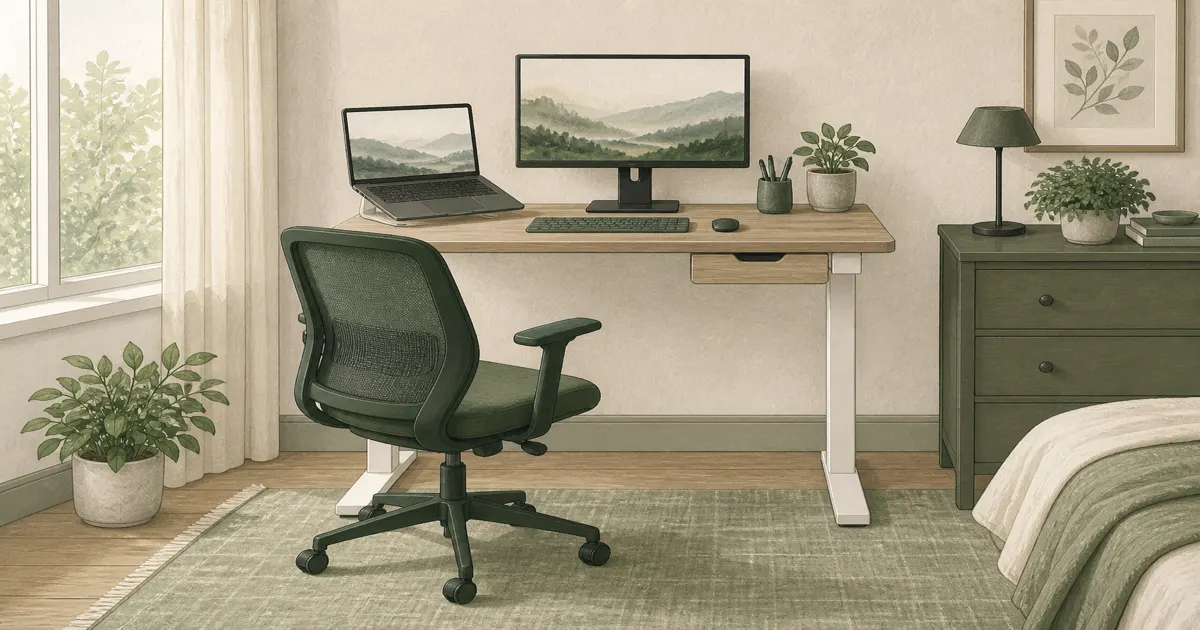
Best Small Standing Desk for a Compact Home Office (2026)
Standing desks
A small standing desk should fit a laptop and one screen without blocking a closet door. The 35-inch YOLEZO is the tightest fit and the best value, with the 40-inch and 48-inch SHW desks as step-ups.
Our picks
A small standing desk is not a toy version of a full frame. It is a sit-stand top that has to fit a spare bedroom, a closet-adjacent wall, or an apartment where a 55-inch desk blocks the only door. Thirty-five inches is the floor for a laptop-first desk, forty inches is enough for a laptop plus one monitor, and neither is enough for two 27-inch screens without fighting the edges all day.
Measure the wall, the chair roll-back, and the closet swing before you fall for a wider photo. A desk you cannot walk around is not compact. It is just in the way.
If you have room for a deeper, wider top, start with best standing desk instead. This page is for rooms that will not take a standard 48-inch frame unless you really need the extra width. If you need the floor clear between sessions more than sit-stand height, a wall mounted desk is the other small-room path.
The standing desks category lists wider frames for rooms that can take them, and home office desk setup covers the room as a whole.
What size does a small standing desk need to be?
For most tight rooms, 35 to 40 inches wide is the usable range, and 48 inches is the step up for two monitors. All three picks here are electric and raise from about 28 inches to 46 inches, so the width, not the frame, is what you are choosing.
Width is the number that decides whether the desk fits the room. Depth decides whether the screen sits at a comfortable distance. A 24-inch top keeps a 27-inch monitor about 20 inches from your eyes with a keyboard in front, which is where most people stop straining.
Thirty-five, forty, or forty-eight?
Thirty-five inches fits a laptop, a notebook, and one compact monitor. Forty inches fits a laptop and one 24 or 27-inch monitor with a notebook beside it. Forty-eight inches fits two monitors without stacking one on top of the other. There is no trick that makes 35 or 40 inches behave like 48. If two screens are certain, buy the 48, and if the room is the hard limit, start at 35.
If two screens are only a maybe, buy the 40 and keep the floor space. A second monitor can always go on a monitor arm later, but a desk that blocks a closet door cannot be fixed.
What fits on a 40-inch top?
Our three picks at a glance
Primary pick: YOLEZO 35-Inch Electric Standing Desk
The YOLEZO 35-Inch Electric Standing Desk is the best small standing desk when the room, not the load, is the hard limit. The 35x20-inch top is the smallest footprint here, it still raises from 28.3 to 46.5 inches on an electric frame, and it holds a laptop and one compact screen without crowding a door swing. Three memory presets and cable management come standard for under $100.
Use it for a laptop-first setup, a kid's desk, or a spare-room corner. It is not the desk for two monitors or a printer, and there is no drawer, so pens and chargers live in a tray. Keep the heaviest screen toward the rear center and leave cable slack for the full lift range.
Who it is for: Apartments, hallways, dorms, and laptop-first days where even a 40-inch top is too wide.
Skip if: Two screens are certain, or you want a drawer in the top. Buy the 40-inch or 48-inch SHW instead.
Shop: YOLEZO 35-inch standing desk on Amazon
Best with a drawer: SHW 40-Inch Electric Standing Desk with Drawer
The SHW 40-Inch Electric Standing Desk with Drawer is the best small standing desk once you want a full-size monitor and a drawer in the top. You get electric lift, memory presets, a compartment drawer, hooks, and a cable tray in a footprint that spare bedrooms can actually host.
Skip it for dual full-size monitors. You will fight the bezels every day. Use it for a laptop, one screen, and the junk that used to live in a mug. Keep cable slack for the full lift range so a charger does not unplug at standing height.
Who it is for: Apartments, guest-room offices, and laptop-plus-one-monitor days.
Skip if: You already know two 27-inch screens are staying. Buy the 48-inch SHW or a wider frame.
Shop: SHW 40-inch with drawer on Amazon
Best for two monitors: SHW 48-Inch Electric Standing Desk with Drawer
The SHW 48-Inch Electric Standing Desk with Drawer is the step-up when you can spare eight inches. Forty-eight inches is the width most people type on with two monitors without stacking a laptop sideways. You still get a drawer, hooks, a cable tray, and memory presets.
Measure the closet door. Extra width is useless if the top blocks it. If the wall is truly tight, stay on the 40-inch. If you have the inches, the 48-inch is the more comfortable daily desk.
Who it is for: Dual-monitor homes that still want a compact sit-stand with storage.
Shop: SHW 48-inch with drawer on Amazon
Do you need a drawer on a small desk?
Yes, more than you would on a wide desk. A 40-inch top is 960 square inches of surface, roughly a fifth less than a 48-inch top, and pens, chargers, and sticky notes eat that space fast. A shallow drawer keeps the keyboard zone clear.
The drawer is not a filing cabinet. It holds the small things that would otherwise drift across the top. Bigger paper belongs in a side cabinet, and a desk with a deep drawer stack under the middle is a poor fit for a small room because it eats the legroom.
Where does the drawer go?
Check the side before you order. A drawer bank on the wrong side can collide with a wall, a door, or the side of a bed. On a compact desk, the drawer usually sits under one side of the top, so measure that side against whatever is next to the desk.
Will a small standing desk wobble more?
No, not because it is small. A short top is lighter, which can help stability rather than hurt it. What moves a desk is frame quality, monitor weight, and how far a heavy screen sits from the legs.
Frame stiffness is the real variable. Keep the heaviest screen near the rear center, stay under the rated capacity, and check the feet on carpet. If a desk wobbles at standing height, the frame and the load are usually the reason, not the 8 inches of missing width.
How do you set the height?
Set the seated height so your elbows land near 90 degrees and your feet are flat. Then set standing height so your elbows stay near the same angle while your shoulders relax. Save both as presets. The numbers for your body live in the standing desk height guide.
Keep a chair that still tucks under the desk. A compact top leaves little room for a bulky chair, so a smaller seat from the best office chair guide is often the better pairing.
Setup that makes a small desk feel bigger
Put the monitor on an arm if you can, so the desktop stays for keyboard and notebook. Keep the mouse on the side that does not hit a wall. Save sit and stand presets on day one. A small desk you never raise is just a short sitting table.
Do not park a printer on a 40-inch top. Use a side cart or skip the printer. Heavy towers belong on the floor. And leave about 30 inches behind the desk, because a compact room is exactly where a chair with no roll-back turns into a daily annoyance.
If you still cannot decide between a compact electric frame and a converter that sits on an existing desk, electric vs manual standing desk covers the tradeoff before you spend.
Bottom line: Choose the YOLEZO 35-inch when the room is the hard limit and a laptop is the load. Choose the SHW 40-inch when one full-size monitor and a drawer share the top, or the SHW 48-inch when two monitors need the extra width. Measure wall and chair roll-back, then set height so your elbows can drop. More desk guides live on the blog and homepage.
Frequently Asked Questions
What is the best small standing desk for a compact room?
Start with the YOLEZO 35-inch if a laptop and one screen are the whole load and even a 40-inch top feels tight. Step up to the SHW 40-inch for a full-size monitor and a drawer, or the SHW 48-inch for two monitors. All three raise from about 28 to 46 inches, so the width, not the frame, is what you are choosing.
Is a 35-inch standing desk big enough?
For a laptop, a notebook, and a mouse, yes. A 35-inch top also fits a laptop plus one compact monitor, but it is not the desk for two screens or a printer. If a full-size 27-inch monitor with a keyboard in front is the daily load, move up to the 40-inch SHW.
Is a 40-inch standing desk enough for two monitors?
Usually no. Dual 27-inch screens feel cramped. Use 40 inches for a laptop plus one screen. If you can spare eight more inches, the 48-inch SHW is the better daily desk for two monitors.
How much room does a small standing desk need?
Plan the desk width plus about 30 inches behind it for the chair to roll back and for you to stand up. A 40-inch desk in a room with a closet door needs the door's swing arc measured, because the extra 8 inches on a 48-inch top is exactly what blocks a doorway.
Is a 40-inch standing desk wide enough for a 27-inch monitor?
Yes, for one. A 27-inch monitor takes about 25 inches of face width, which leaves room for a keyboard and a notebook on a 40-inch top. Two of them need closer to 55 inches, so they belong on a wider frame.
Do I need a drawer on a small desk?
It helps. A compact top fills up with pens and chargers fast. A shallow drawer keeps the keyboard zone clear when you raise the desk.
Will a small standing desk wobble more?
A short top is not automatically shakier. Frame quality and monitor weight matter more. Keep heavy screens toward the rear center and stay under the listed capacity.
How do I set height on a small desk?
Elbows near 90 degrees, shoulders down, feet planted when you sit. Use standing desk height for sit and stand numbers.
Should I buy a converter instead?
Only if you already love a fixed desk and your gear is light. A small electric frame is cleaner when you switch heights every day. A standing desk converter sits on top of an existing desk and adds height without a new frame.