Best Headset for Work From Home (2026): Clear Mic, All-Day Comfort
Desk accessories
The best headset for work from home is the AOC Wireless Headset for most people, with the Sarevile single-ear model for all-day calls and the JIAMQISHI USB headset for a cheap wired setup that stays clear.
Our picks
The best headset for work from home for most people is the AOC Wireless Headset, because it pairs over a dongle, Bluetooth, or a cable so a call never waits on a connection. A work headset is not the same thing as a pair of headphones. The mic is the whole point, and a headset you will actually keep wearing has a boom that sits near your mouth, a mute you can find without looking, and enough battery or cable slack to get through a day of calls.
The rest of the desk matters too. If your screen sits too low, fix that with the best monitor arm before you blame your headset posture. A headphone stand keeps the set off the desk between calls, and a laptop docking station tidies the cable run. Browse the desk accessories category for the rest of the setup.
What separates a work headset from headphones
The microphone is the difference. A call-first headset puts a boom near your mouth, so your voice arrives louder than the room around it. It also gives you a physical mute and, usually, a way to hear yourself so you do not shout.
Then there is connection. A USB dongle is the steadiest option for a laptop, Bluetooth is the most convenient, and a 3.5mm cable is the fallback that never runs out of battery. A headset with more than one of those is easier to live with.
Fit matters more than specs here. You will wear this for hours. Look for a headband that adjusts, pads you can stand against your ears, and a weight that does not pull after the first meeting.
Top pick: AOC Wireless Headset with Microphone for Work
The AOC Wireless Headset with Microphone for Work is our pick for most people because it covers every connection you might need. The 2.4GHz dongle is the one to use on a work laptop, since it pairs without drivers and holds a steadier link than Bluetooth audio. Bluetooth 6.0 is there for your phone, and the 3.5mm cable is the backup for a long day.
Battery life is listed at 45 hours, with fast charge and charge-and-play, so a short top-up is enough for an afternoon of meetings. The AI noise canceling mic and the rotatable boom are aimed at call clarity, which is the job. The 40mm drivers handle background music between calls without sounding thin.
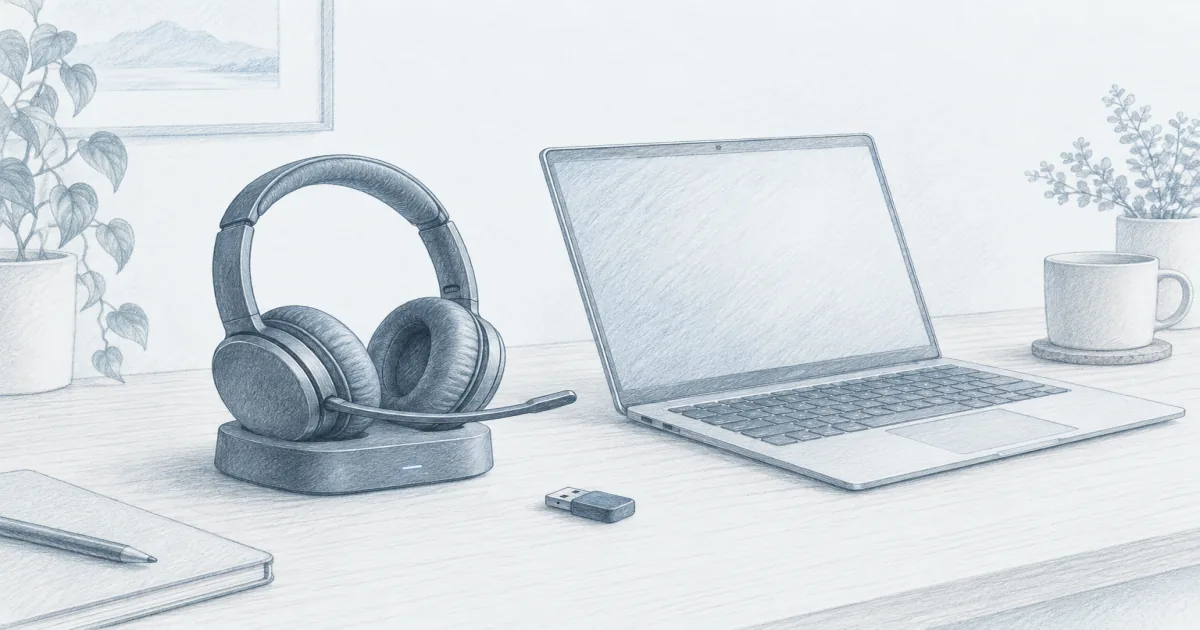
The charging base is the quiet win. It gives the headset a home, so you are not hunting for a cable when a meeting starts in two minutes.
Who it is for: Home workers who take a mix of laptop and phone calls and want one headset for all of it.
Skip if: You want deep hearing noise cancellation for a noisy open office. This one prioritizes the mic.
Shop: AOC Wireless Headset on Amazon
Best single-ear: Sarevile Bluetooth Headset with USB Dongle
The Sarevile Bluetooth Headset with USB Dongle is the pick when you want one ear free and a battery that refuses to quit. The single-ear design keeps you aware of the room, which is why call centers and drivers like it. The 270 degree boom rotates for left- or right-side wear, and the physical mute button gives you instant privacy.
Battery life is rated at 50 hours of talk time, so most people charge it on the weekend, not every night. The USB dongle handles computers with no Bluetooth, which makes it a good match for a locked-down work laptop. The on-ear pad is light enough to forget about.
The one setup quirk is on a PC. You have to set the headset as both input and output, and unplug the dongle if you want to switch to Bluetooth. Once it is set, it just works.
Who it is for: People who want one ear open, long battery life, and a headset that doubles as a phone headset.
Skip if: You want stereo sound for music or both ears covered for focus.
Shop: Sarevile Bluetooth Headset on Amazon
Best wired budget: JIAMQISHI USB Headset with Microphone
The JIAMQISHI USB Headset with Microphone is the wired budget pick, and it is the cheapest way to sound clear on calls. USB and 3.5mm both work, so it fits almost any laptop, and the inline control keeps mute and volume within reach. The 270 degree mic boom rotates for either ear.
The on-ear pads are soft for the price, and the mic does the noise-canceling work that matters for meetings. Buyers use it for work calls, classes, and Zoom sessions without complaint about the audio. It is plain, but it is not flimsy.
Because it is wired, there is no battery to manage. Plug it in and you are ready. The trade is that you stay tethered, so it suits desk-bound calls more than wandering ones.
Who it is for: Buyers who want a reliable wired headset under $30 and never want to think about charging.
Skip if: You move around during calls or want a wireless setup.
Shop: JIAMQISHI USB Headset on Amazon
Quick comparison
Dongle, Bluetooth, or wired: pick your connection
Think about your worst-case day, not your best one. That is the connection you want the headset to cover.
- USB dongle. The steadiest option for a work laptop and the one to reach for on important calls. It pairs instantly and does not fight your other Bluetooth devices.
- Bluetooth. Best for switching between a phone and a computer. It is convenient, but it can drop when the room is crowded with wireless gear.
- 3.5mm or USB wired. The fallback that always works. Keep a wired headset in a drawer if you take calls that cannot be missed.
If you use a dock, plug the dongle into the dock instead of the laptop. That way one cable still connects everything when you sit down.
What to check before you buy
Four things decide whether a headset survives a real workweek.
- Mic position. A boom near your mouth beats a mic in the earcup. Look for a boom that rotates so you can wear the headset on either side.
- Mute you can find. A physical button or a flip-up boom beats a touch control you have to hunt for mid-meeting.
- Fit and weight. Adjustable headband, padded ear pieces, and a weight that does not pull after an hour. On-ear models are lighter but press more over time.
- Battery or cable. Wireless should list a realistic talk-time figure. Wired should reach from your chair to the port without a stretch.
Skip the extras you will not use. Call clarity and comfort are the whole job.
Bottom line: The best headset for work from home for most people is the AOC Wireless Headset for its dongle, Bluetooth, and wired options plus a 45-hour battery. The Sarevile Bluetooth Headset is the single-ear pick for all-day calls, and the JIAMQISHI USB Headset is the wired budget choice. Match the connection to your worst-case call day, then spend on the mic and the fit.
Frequently Asked Questions
What headset do most people need for work from home?
A wireless headset with a boom mic and a USB dongle covers the most ground. The AOC is our pick for most people because it also works over Bluetooth and a 3.5mm cable. If you take calls all day and want one ear free, a single-ear model like the Sarevile is a better fit.
Wireless or wired headset for work?
Wireless wins if you move around during calls or hate another cord on the desk. Wired wins if you never want to think about charging and your calls are all at the desk. The JIAMQISHI is the cheap wired option that stays clear.
Do I need a USB dongle?
If your laptop has flaky Bluetooth or restrictive work settings, yes. A dedicated dongle pairs instantly and tends to hold a steadier connection than Bluetooth audio. It also frees the built-in Bluetooth for your phone.
How much should a work headset cost?
Most home workers get what they need between $30 and $70. Below that you are often trading away the mic or the battery. Above it you are usually paying for deeper hearing noise cancellation, not clearer calls.
Is noise canceling worth it for calls?
Look at two different features. Mic noise cancellation decides how clear you sound to other people. Hearing noise cancellation blocks the room for you. For calls, the mic is the one that matters most, which is why the AOC and Sarevile focus there.
Can I use one headset for calls and music?
Yes, and the AOC and JIAMQISHI both handle it. A call-first headset will not sound like a dedicated pair of music headphones, but it works fine for background audio between meetings. If music quality is the priority, buy headphones and keep a cheap wired headset for calls.
How do I stop my mic from picking up background noise?
Put the mic close to the corner of your mouth, use the mute button when you are not speaking, and turn off the ceiling fan or close the door if you can. A boom mic near your mouth does more for call clarity than any software setting.