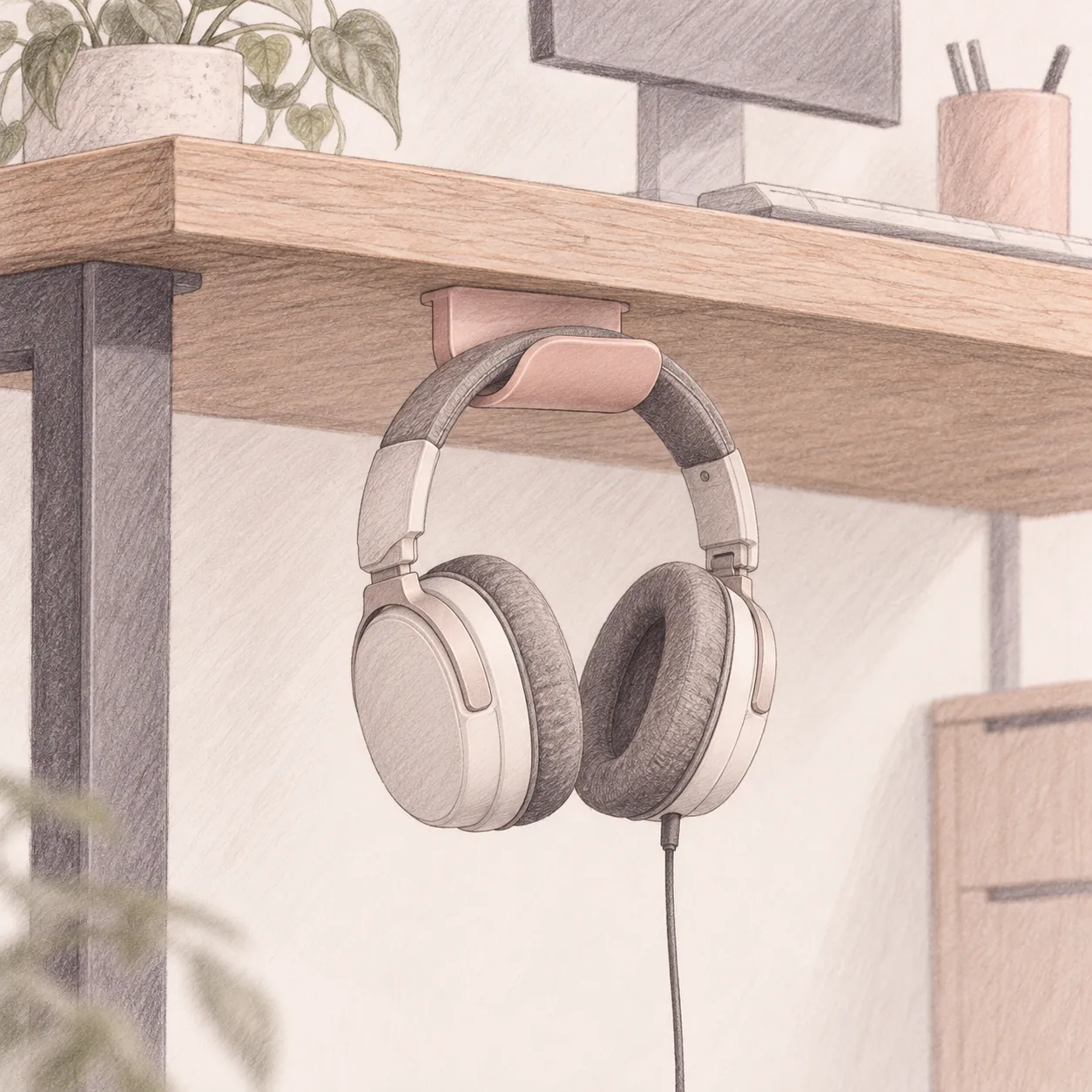
Under Desk Headset Holder: Keep Headphones Off the Desk (2026)
Desk accessories
An under desk headset holder frees the surface and keeps a headset out of the cable tangle. Pick by mount type: adhesive, clamp, or a screw-in aluminum hook.
Our picks
The best under desk headset holder for a typical home office is the Elevation Lab The Anchor, because it is built to survive the two things that break these hooks: a knee bump and a heavy headset. It is for anyone whose headphones land on the keyboard, hang off a monitor corner, or vanish under a notebook five minutes before a call.
This is a small accessory with one job: give the headset a home that is not the working surface. A desktop stand does that too, but it still takes up desk. An under desk holder hands that space back, which is the whole point on a compact or shared desk. This guide is about the under desk route, so if you would rather park the headset on the surface, our headphone stand guide covers the desktop style.
The desk accessories hub collects the rest of the surface-clearing kit, and a monitor arm is usually the bigger win if your screen height is the real problem. Once the headset is off the desk, run the leftover cords through cable management for desk so the hook does not just move the tangle.
What is an under desk headset holder, and who needs one?
An under desk headset holder is a small hook or hanger mounted below the desktop that stores one or two headsets off the work surface. It is worth buying if you wear over-ear headphones daily and they keep landing on the desk.
The habit is the point. When the headset has one reliable place to go, you stop dropping it on the mouse pad, wrapping the cord around a lamp base, or crushing the earcups under papers. If you use earbuds twice a week, skip it. If you put a headset on every morning for calls or focus music, a hook pays off fast.
Adhesive, clamp, or screw
There are three ways to mount a hook, and the desk picks for you. Adhesive is the no-drill default and works on any finished surface. A clamp suits a desk edge you cannot or will not stick anything to. Screws hold the most but mark the desk, so they are for a workstation you own.
Who should skip it
Skip an under-desk hook if you wear earbuds and rarely pick up a headset. This accessory solves a repeated habit: a headset that lands on the desk several times a day. If that is not your routine, the desk stays tidy without it, and a drawer is a fine home for the occasional over-ear pair.
Best overall: Elevation Lab The Anchor
The Elevation Lab The Anchor is the best under desk headset holder for most desks because it fixes the problem that breaks most cheap hooks. The body is thick silicone over a steel core, so when you bump it with a knee it bends and springs back instead of sending a lever force into the adhesive. That build is what keeps it attached to the desk.
It mounts with genuine 3M adhesive in about a minute: clean the spot, peel the backing, press for 30 seconds, and wait 24 hours before you load it. It can hold two sets of headphones, so a work pair and a gaming pair both get a home. The one hard limit is the surface. The Anchor will not hold to unfinished wood or a fibrous underside, so check the desk before you commit.
Who it is for: Anyone who wants the headset gone from the desk without drilling a hole.
Skip if: Your desk underside is unfinished wood or a textured panel.
Shop: Elevation Lab The Anchor on Amazon
Best clamp-on: EURPMASK Rotating Headphone Stand
The EURPMASK Rotating Headphone Stand is the clamp pick, and the right one when you want the headset off the desk without sticking anything to it. The spring clamp fits desks from 0.31 to 1.57 inches thick, so it covers most home office tops, and it comes off without residue. The 360-degree arm swings the headset under the edge when you are done, which keeps it out of the typing zone.
Two details make it the best clamp option. It has a built-in cable clip, useful if your headset is wired, and the curved edges and rubber pads protect both the headband and the desk. The catch is the edge itself. A thick apron, a built-in lip, or a sit-stand frame bar near the edge can leave no clean place to clamp, so measure before you buy.
Who it is for: Renters and anyone who will not stick an adhesive to the desk.
Skip if: Your desk edge is blocked by an apron or a frame rail.
Shop: EURPMASK clamp headset holder on Amazon
Best budget: Yocice Aluminum Headphone Hanger
The Yocice Aluminum Headphone Hanger is the low-cost pick, and it is the one to take if you want the job done for the price of a coffee. The hook is aircraft-grade aluminum rated to 10 pounds, which is about ten times a normal headset, and it ships with both a strong adhesive pad and a screw set, so you can pick the mount you trust. A soft silicone pad protects the headband from scratches and pressure marks.
At under seven dollars it is the least expensive way to clear the headset off the desk, and it still feels solid in the hand. The tradeoff is the adhesive, which needs a full 24-hour cure before you load it. Glue it on and hang a headset five minutes later and you will blame the pad for a mistake that was really a timing one.
Who it is for: Budget setups, a second desk, or a lightweight headset that needs a home.
Shop: Yocice aluminum headphone hanger on Amazon
Pick at a glance
Will an adhesive headset holder hold a heavy gaming headset?
Yes, as long as the surface is clean and finished. A gaming headset weighs about a pound, and these hooks are rated far above that, so the bond to the desk is the real limit, not the hook.
The rating on the Yocice is 10 pounds, and the Anchor is built to hold two sets at once. The weight is not what usually fails. What fails is a dusty or unfinished surface, or loading the hook before the adhesive has cured. Clean the spot with the included wipe, press the mount flat for about 30 seconds, and leave it empty for a full day before you trust it with a headset.
Where should you mount an under desk headset holder?
Mount it under the non-mouse side of the desk, just off the knee path, so your thigh does not hit the headset when you sit down. On a sit-stand desk, cycle it through sit and stand before you tighten anything.
Install an adhesive mount the right way
Wipe the underside, peel the backing, and press the mount flat for 30 seconds. Then leave it alone for 24 hours. That wait is the whole trick, and it is the step people skip when a hook comes loose weeks later.
Keep the hook off the knee path
Sit down, scoot in, and note where your thigh lands. A hook at dead center under the desk will catch a knee every time. Offset it toward the side you do not use for the mouse, and leave a little clearance so the headset does not swing into your shin.
Is an under desk holder better than a desktop stand?
It depends on the desk. A desktop stand is simpler and keeps the headset at eye level, but it uses surface space. An under desk holder gives that space back and hides the headset, which matters on a compact or shared desk.
If surface space is the thing you are short on, the under desk hook wins. If you want the headset visible and one motion away, a desktop stand from our headphone stand guide is a fine call. You can also run both, one for a work pair and one for gaming.
Bottom line
Buy the Elevation Lab The Anchor if you want the holder that survives a knee bump and mounts in a minute. Buy the EURPMASK clamp if you cannot stick adhesive to the desk and want the arm to swing away. Buy the Yocice aluminum hanger if you want the cheapest solid option. Whichever you pick, mount it off the knee path, let any adhesive cure for a full day, and the headset stops living on your keyboard.
Frequently Asked Questions
What is the best under desk headset holder?
The Elevation Lab The Anchor is the best for most desks. Its silicone body sits over a steel core, so a knee bump flexes it instead of knocking the mount off, and the included 3M adhesive means no drilling. Choose the EURPMASK clamp if you cannot use adhesive, or the Yocice aluminum hook for a low-cost, light-duty option.
Will an adhesive headset holder hold a heavy gaming headset?
Yes, if the surface is clean and finished. A gaming headset usually weighs about a pound, and these hooks are rated far above that, so the real limit is the adhesive bond rather than the hook. Clean the spot, press for 30 seconds, and wait 24 hours before hanging anything.
How thick can a desk be for a clamp-on headset holder?
The EURPMASK clamp fits desks from about 0.31 to 1.57 inches thick. Measure the edge where you plan to clamp, and check that no apron or lip blocks the jaws. A sit-stand desk with a frame rail close to the edge can leave no room for a clamp.
Where should I mount an under desk headset holder?
Mount it under the non-mouse side of the desk, just off the knee path, so your thigh does not hit the headset when you sit down. On a sit-stand desk, run the top through sit and stand height once before you tighten anything, because the hook travels with the desk.
Do you have to wait before loading an adhesive hook?
Yes. The 3M adhesive needs a 24-hour cure before it holds a load. Press the mount for about 30 seconds, then leave it empty overnight. Hanging a headset right away is the most common reason a hook comes loose later.
Is an under desk holder better than a desktop headphone stand?
It depends on your desk. A desktop stand is simpler and holds the headset at eye level, but it uses surface space. An under desk holder gives that space back and hides the headset, which matters on a compact or shared desk.
Can I move an adhesive hook later?
Yes. Warm the adhesive with a hair dryer until it softens, then ease the mount off. A replacement adhesive pad lets you remount it somewhere else, which is much safer than prying at cold 3M tape.
Will a hook dent my headband?
A broad, curved support will not. Look for a wide hook or a silicone-padded curve so the headband rests on a surface rather than one sharp point, and avoid thin metal wire hooks that pinch the band.