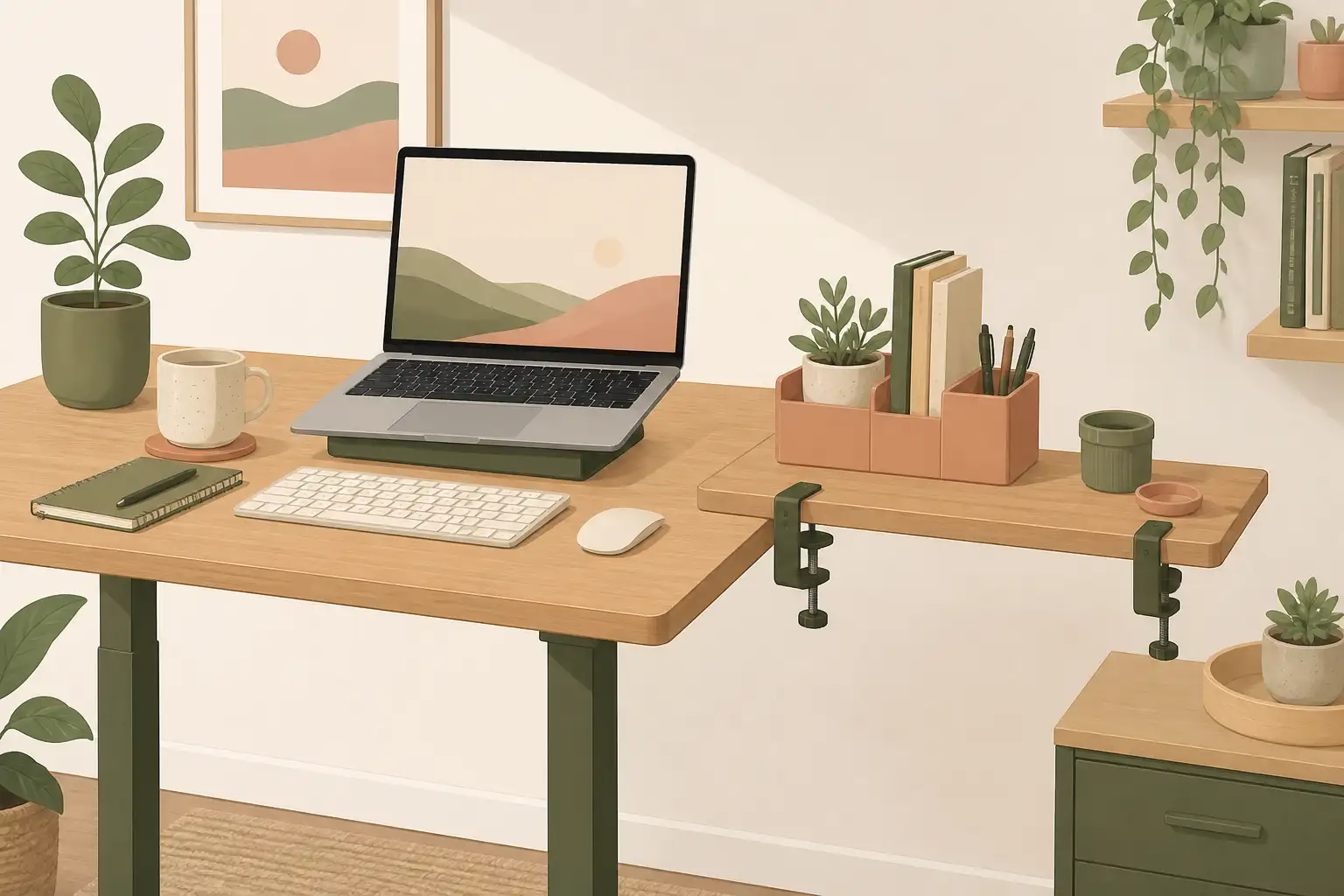
Best Desk Shelf (2026): Clamp-On Storage Without a New Desk
Desk accessories
A desk shelf adds usable surface when your desktop is too small, not when you need a whole new workstation. Match clamp clearance and load first.
Our picks
A desk shelf can solve a compact desk problem without making you buy a new workstation. It can hold a laptop, lift a monitor, park a printer, or extend the working edge. Browse more desk accessories when you are finishing a setup, and keep the main surface plan aligned with a solid standing desk if you are still choosing the base furniture.
The important part is not the shelf's finish. It is whether your desktop has a safe edge for the clamp and enough capacity for what you will put on the platform.
Measure the desk edge first
The VIVO clamp shelves fit desk edges up to 2.8 inches thick according to their listings. That means a solid top with a clear edge. A deep apron, crossbar, or cable tray can prevent the clamp from seating properly. Look under the desk before you buy.
Then decide what the shelf must hold. A laptop and notebook are light. A monitor, printer, or desktop PC require a careful capacity check. The platform should not turn into a lever that flexes the desk.
Also measure sideways clearance. A shelf that hits a wall return, window sill, or monitor arm post will never sit square. Leave a finger of space so you can tighten the clamp without scraping paint.
VIVO 22-inch Clamp-on Shelf
The VIVO Clamp-on 22 inch Desk Extension Shelf gives you a 21.7-by-9.8-inch platform and a listed 44-pound capacity. It can clamp to the desk or use its included freestanding feet, which is handy if your desk edge turns out to be unsuitable.
Use it as an extension when your keyboard and laptop compete for space. It can also face forward as a small monitor or laptop riser. It is not a replacement for a full monitor riser if you have two wide displays.
VIVO 15-inch Clamp-on Shelf
The VIVO Clamp-on 15 inch Desk Extension Shelf has the same basic idea in a smaller footprint. It is enough for a laptop, charging dock, or printer supplies, and it does not dominate a compact desk.
Skip it if you are trying to solve a whole dual-monitor layout. A smaller shelf is useful because it stays small. Asking it to carry a large setup creates the same clutter it was meant to remove.
If you only need a phone, notebook, and a couple of pens off the main surface, the 15-inch shelf is usually enough. Save the 22-inch platform for monitors, printers, or a true side extension.
Shelf, riser, or arm
Pick a shelf when you need more surface. Pick a monitor riser when the screen is low and you want storage under it. Pick a monitor arm when the display needs independent adjustment and you want the largest clear work surface. For multi-tier bookshelf storage behind the monitor, use a desk hutch instead of a clamp extension. For room-scale vertical storage beside the desk, see a bookcase for home office.
If cables are the reason the desk feels crowded, fix the underside too. Our cable management for desk guide covers a tray-and-sleeve approach that works with a moving desk.
Weight, vibration, and standing desks
A clamp shelf moves with a sit-stand desk, which is useful until you overload it. Keep heavy printers and desktop towers elsewhere when you can. Vibration from typing is fine. Vibration from a tall stack of gear on a narrow platform is how clamps loosen over a month.
Recheck the clamp after the first week of height changes. Desktops flex a little, and a clamp that felt tight on day one can need another half turn later.
If your standing desk has a thin particle-board lip, prefer freestanding feet when the listing includes them, or skip the shelf and use a monitor arm plus a clearer keyboard zone instead of crushing the edge.
Setup mistakes to avoid
- Clamping over a cable channel so the shelf never seats flat.
- Using a 15-inch shelf as a dual-monitor platform.
- Parking a full desktop PC on a light extension shelf.
- Ignoring under-desk clearance for a kneeling chair or under-desk bike.
A shelf should reduce clutter. If it forces a new cable spaghetti pile or blocks your knees, you bought the wrong accessory.
Who should skip a desk shelf
Skip it if your desk already has spare depth, if you need tall binder storage behind the monitor, or if the only free edge is already taken by a monitor arm clamp. In those cases, a desk hutch, bookcase, or a cleaner cable pass-through usually helps more.
Also skip a clamp shelf on glass desks unless the product explicitly supports that edge type. Many clamps are designed for wood and laminate, not tempered glass.
Bottom line
The VIVO 22-inch Clamp-on Shelf is the better desk shelf when you need a real extension or monitor platform. The 15-inch version is a compact add-on for lighter gear. Measure the desk edge, its clearance underneath, and the intended load before ordering.
Frequently Asked Questions
What is the best desk shelf for most home offices?
Start with the VIVO 22-inch clamp shelf when you need a real extension or monitor platform. Choose the 15-inch version when a laptop or dock is the whole job.
Can a desk shelf hold a monitor?
Some can. Check capacity, depth, and clamp instructions before placing a monitor on it. Heavy dual-monitor setups usually need a riser or arm instead.
Will a clamp-on shelf work on a standing desk?
Yes when the desk has a compatible edge. The shelf moves with the desktop, which is useful for accessories you want at every height.
Should I buy a shelf or a monitor arm?
Buy a shelf for extra surface. Buy an arm for more display adjustment and a clearer keyboard zone.
Shelf vs monitor riser vs desk hutch?
A shelf extends the edge. A riser lifts the screen and leaves storage underneath. A hutch adds taller shelving behind the monitor for books and binders.
How thick can the desk edge be?
These VIVO shelves list a clamp fit up to about 2.8 inches. Measure the edge and look for aprons, trays, or cable channels that block the clamp.
Do I need tools to install a clamp desk shelf?
Usually a hand-tightened clamp is enough. Confirm your desktop is solid enough that the clamp will not crush a thin particle-board lip.